KineMaster vs Edits: Which Video Editor Reigns Supreme
KineMaster is a powerful, feature-rich video editor designed for serious creators who need advanced tools like multi-layer editing, AI features, and precise control. Edits, by Instagram, is a free, streamlined editor aimed at social media creators who want quick, high-quality exports without watermarks. Both apps cater to mobile video editing but serve different user needs.
KineMaster - Video Editor
- Rating
- ★ 4.44
- Downloads
- 500,000,000+
- Developer
- KineMaster, Video Editor Experts Group

Edits: Video Editor
Recommended- Rating
- ★ 4.62
- Downloads
- 100,000,000+
- Developer
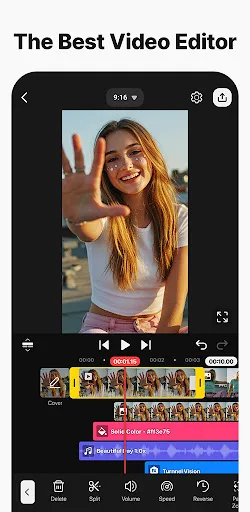
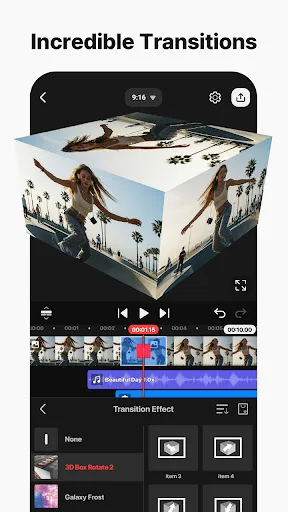
Edit everything: Movies, vlogs, Reels, and Shorts. [ AI Tools for Your Next Video ] Complex videos can be made quickly with these AI features. • AI Auto Captions: Add subtitles instantly from video or audio • AI Text-to-Speech: Create spoken audio from text with one tap • A…
Pros
- Multi-layer video and audio editing for complex projects
- AI tools like auto captions, text-to-speech, and music match
- Chroma key (green screen) support
- Precise keyframe animation for effects
- Direct export to 4K resolution (with watermark on free version)
Cons
- Free version adds a watermark to exports
- Can be overwhelming for beginners due to many features
- Some advanced features require subscription
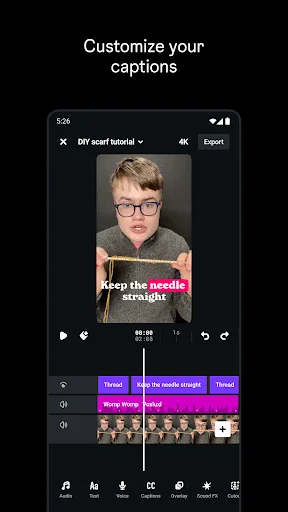
Edits is a free video editor that makes it easy for creators to turn their ideas into videos, right on their phone. It has all the tools you need to support your creation process, all in one place. Simplify your creative process - Export your videos in 4K with no watermark and sh…
Pros
- Completely free with no watermark on exports
- Supports 4K resolution exports
- Clean, intuitive interface designed for quick edits
- Seamless sharing to Instagram and other platforms
- Drafts management keeps projects organized
Cons
- Lacks advanced features like multi-layer editing and chroma key
- No AI-powered tools (captions, text-to-speech)
- Limited to basic trimming, cutting, and effects
Final Verdict
Our pick: Edits: Video Editor
For most creators, Edits is the better choice due to its intuitive interface, 4K exports without watermark, and seamless integration with Instagram. However, if you need advanced features like multiple video layers, chroma key, or AI tools for complex projects, KineMaster is unmatched. KineMaster's higher install base and extensive toolset make it ideal for professional-level editing on mobile, but its watermark on free version is a downside. Ultimately, choose Edits for simplicity and social media sharing, or KineMaster for full creative control.
KineMaster - Video Editor Screenshots
Official app screenshots from the Google Play Store.



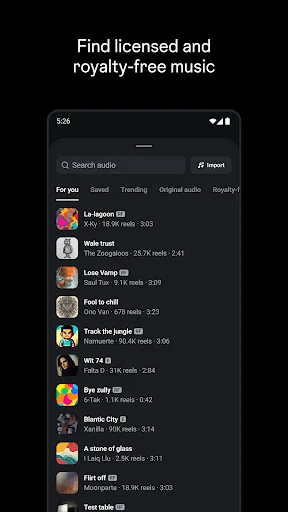
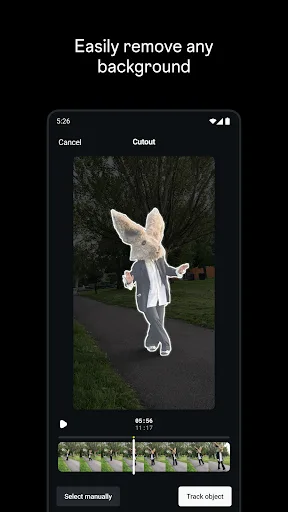
Edits: Video Editor Screenshots
Official app screenshots from the Google Play Store.


Frequently Asked Questions
Which app has a higher rating?
Edits has a higher rating of 4.628 compared to KineMaster's 4.438.
Can I use these apps offline?
Both apps require an internet connection for initial download and some features like AI tools (KineMaster) or sharing (Edits), but basic editing can be done offline once the app is installed.
Do these apps have ads?
KineMaster includes ads in the free version, while Edits is ad-free.
What are the device requirements?
Both apps require Android 5.0 or higher. KineMaster recommends at least 2GB RAM for smooth performance, while Edits works well on most modern devices.
Which app should I choose?
Choose Edits if you want a free, no-watermark editor for quick social media videos. Choose KineMaster if you need advanced editing tools, AI features, and don't mind a watermark or subscription.
Related Comparisons
 VS
VS
PowerDirector vs KineMaster: Best Video Editor for Android in 2026
 VS
VS

VN vs Video Guru: Which Free Video Editor Reigns Supreme?
 VS
VS
CapCut vs PowerDirector: Which Video Editor Reigns Supreme
 VS
VS

VivaCut vs Lightroom: Best Video Editor for Android
 VS
VS
Canva vs KineMaster: Best Video Editor for You? ( Comparison)
VS