Noteshelf 3 vs Samsung Notes: Which Note-Taking App Reigns Supreme?
Noteshelf 3 by Fluid Touch is a feature-rich digital notebook designed for students, artists, and bullet journal enthusiasts who crave lifelike handwriting tools and customization. Samsung Notes, pre-installed on Galaxy devices, excels for Samsung users needing seamless integration with S Pen, PC sync, and collaboration features. Both apps offer free core functionality but cater to different ecosystems.

Noteshelf 3: Digital Notes
Recommended- Rating
- ★ 4.48
- Downloads
- 1,000,000+
- Developer
- Fluid Touch

Samsung Notes
- Rating
- ★ 4.78
- Downloads
- 1,000,000,000+
- Developer
- Samsung Electronics Co., Ltd.
"Introducing the all new Noteshelf 3 - the perfect note-taking app for students, teachers, professionals, artists and bullet journal enthusiasts to create & organize digital notes. Download for free and embark on a journey of seamless organization, productivity and creativity. PE…
Pros
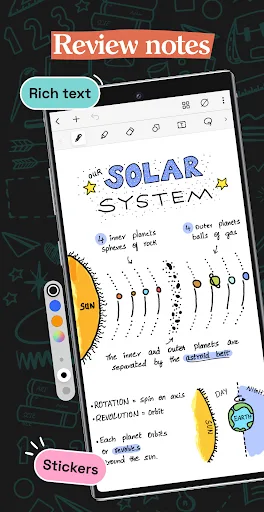
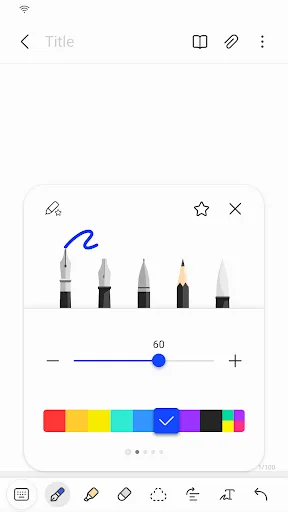
- Lifelike pen, pencil, and highlighter tools with adjustable pressure sensitivity
- Extensive customization with covers, paper templates, and stickers
- Supports audio recording synced with handwritten notes
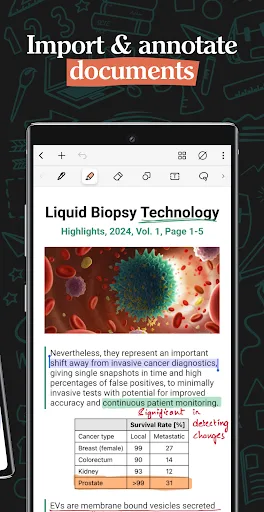
- Cross-platform sync via iCloud, Google Drive, and Dropbox
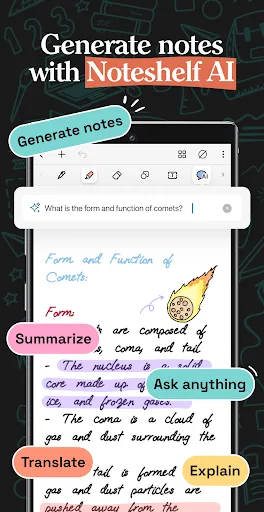
- Handwriting search and conversion to text
Cons
- Free version limits notebooks and some features; subscription required for full access
- No native Windows app; relies on web or third-party sync
- Occasional lag with large notebooks on older devices
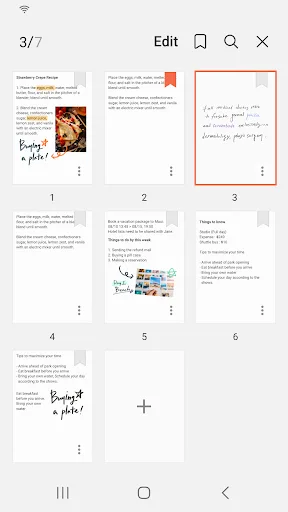
Samsung Notes can create and edit documents on mobile, tablet, or PC and collaborate with others. User can add annotations to the PDF using S Pen and create documents with images or voices. It can also be used by connecting documents with various apps such as PDF, Microsoft Word,…
Pros
- Deep integration with S Pen for precise input and Air Commands
- Seamless syncing across Samsung Galaxy phones, tablets, and Windows PCs via Samsung Cloud
- Free to use with no subscription; robust PDF annotation and collaboration features
- Converts handwriting to text and supports voice recordings
- Built-in drawing tools and shape recognition
Cons
- Limited to Samsung devices and Windows; no iOS or macOS support
- Fewer aesthetic customization options compared to Noteshelf 3
- Requires Samsung account for full features; some users report sync issues
Final Verdict
Our pick: Noteshelf 3: Digital Notes
For most users, especially those outside the Samsung ecosystem, Noteshelf 3 offers a superior handwriting experience with more personalization and cross-platform support. However, if you own a Samsung device and rely on S Pen or need tight integration with Samsung's ecosystem, Samsung Notes is the clear winner. Noteshelf 3 wins for creative note-takers and cross-platform users, while Samsung Notes is best for Samsung loyalists. Overall, Noteshelf 3 edges ahead due to its broader device compatibility and richer customization.
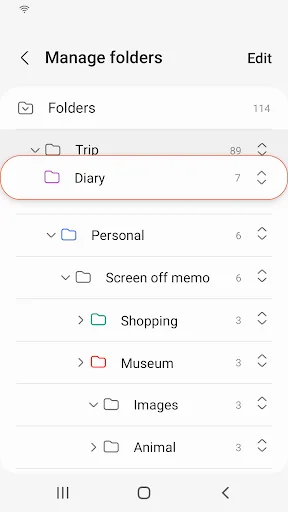
Noteshelf 3: Digital Notes Screenshots
Official app screenshots from the Google Play Store.


Samsung Notes Screenshots
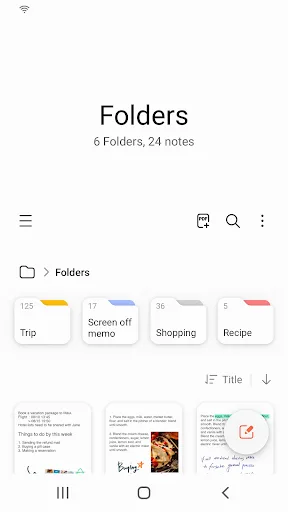
Official app screenshots from the Google Play Store.

Frequently Asked Questions
Which app has a higher rating?
Samsung Notes has a slightly higher rating (4.78) compared to Noteshelf 3 (4.55), but both are highly rated.
Can I use these apps offline?
Yes, both apps work offline for creating and editing notes. Sync requires internet access.
Do these apps contain ads?
Neither app displays ads. Noteshelf 3 offers in-app purchases for premium features, while Samsung Notes is fully free.
What are the device requirements?
Noteshelf 3 runs on Android 6.0+ and iOS; Samsung Notes requires a Samsung Galaxy device with Android 9+ or Windows.
Which app should I choose for creative note-taking?
Choose Noteshelf 3 for its extensive customization, lifelike tools, and cross-platform support. Choose Samsung Notes if you use a Samsung device with S Pen and need seamless ecosystem integration.
Related Comparisons
 VS
VS
ColorNote vs Noteshelf 3: Which Note-Taking App Reigns Supreme
 VS
VS

Google Keep vs Microsoft OneNote: Which Note-Taking App Wins
 VS
VS
Freenotes vs Easy Notes: Which Note-Taking App Reigns Supreme?
VS

Samsung Notes vs Notion: Which Note-Taking App Reigns Supreme
VS

ColorNote vs Zoho Notebook: Which Notes App is Best for You?
VS