Samsung Notes vs Notion: Which Note-Taking App Reigns Supreme
Samsung Notes is designed for Samsung device users who want a seamless, S Pen-optimized note-taking experience with deep system integration. Notion, on the other hand, is a versatile all-in-one workspace for individuals and teams who need powerful organization, collaboration, and AI-powered features. If you prioritize handwriting and simplicity, Samsung Notes may be your choice. For advanced project management and cross-platform collaboration, Notion is the better fit.

Samsung Notes
- Rating
- ★ 4.78
- Downloads
- 1,000,000,000+
- Developer
- Samsung Electronics Co., Ltd.

Notion: Notes, Tasks, AI
Recommended- Rating
- ★ 4.58
- Downloads
- 10,000,000+
- Developer
- Notion Labs, Inc.
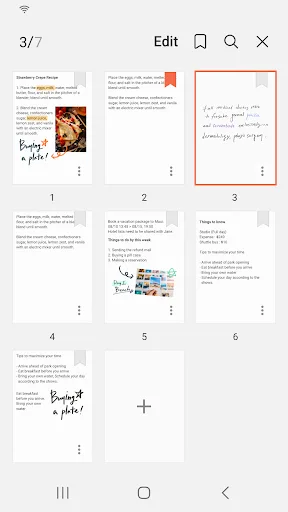
Samsung Notes can create and edit documents on mobile, tablet, or PC and collaborate with others. User can add annotations to the PDF using S Pen and create documents with images or voices. It can also be used by connecting documents with various apps such as PDF, Microsoft Word,…
Pros
- Seamless integration with Samsung devices and S Pen for handwriting.
- High rating of 4.78 with over 1 billion installs.
- Supports PDF annotation and voice notes.
- Free to use with no ads.
- Syncs across Samsung phones, tablets, and PCs.
Cons
- Limited to Samsung ecosystem; no official iOS or Windows app outside Samsung.
- Lacks advanced organization features like databases or templates.
- No built-in AI assistance for writing or summarization.
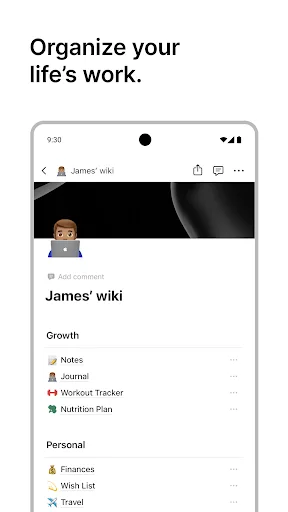
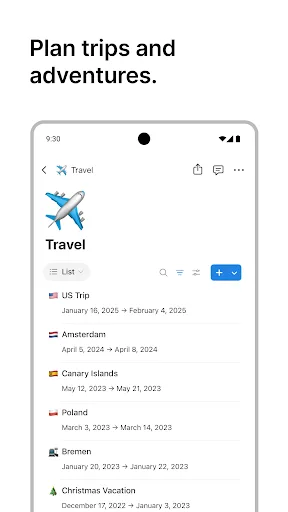
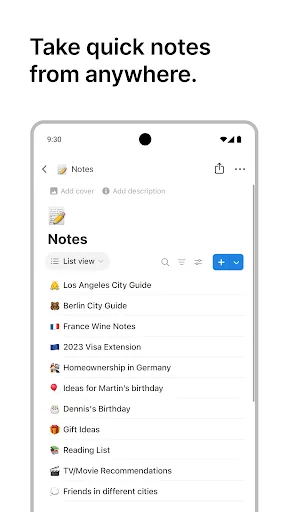
Notion is an AI-powered all-in-one workspace that helps individuals and teams write notes, manage tasks, organize projects, and collaborate in one place. Whether you’re tracking personal to-do lists, writing and organizing class notes, or managing projects with a team, Notion h…
Pros
- Powerful all-in-one workspace for notes, tasks, and projects.
- AI-powered features for writing, summarizing, and brainstorming.
- Highly customizable with templates, databases, and integrations.
- Cross-platform support (iOS, Android, Web, Desktop).
- Excellent collaboration tools for teams.
Cons
- Steeper learning curve due to extensive features.
- Free version has limited storage and blocks.
- No handwriting or S Pen support.
Final Verdict
Our pick: Notion: Notes, Tasks, AI
Both apps excel in different areas. Samsung Notes is the clear winner for Samsung users who need quick, handwritten notes and PDF annotation with S Pen support. Its massive install base and high rating reflect its reliability and integration. Notion, however, is superior for team collaboration, task management, and customizable workflows, making it ideal for professionals and students. For most users seeking a robust note-taking app with advanced features, Notion offers more versatility. However, if you own a Samsung device and value simplicity and handwriting, Samsung Notes is unbeatable. Our recommendation goes to Notion for its broader appeal and AI capabilities.
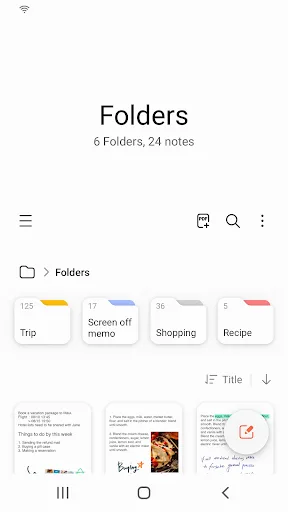
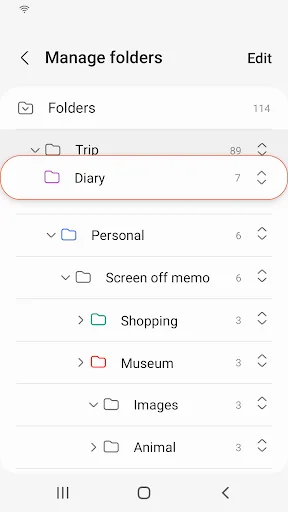
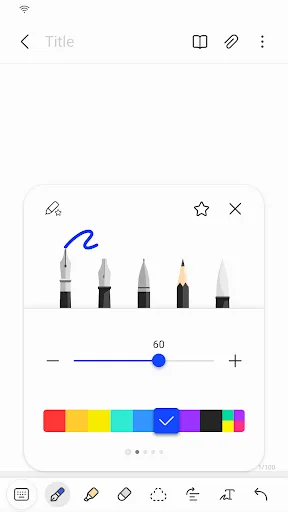
Samsung Notes Screenshots
Official app screenshots from the Google Play Store.

Notion: Notes, Tasks, AI Screenshots
Official app screenshots from the Google Play Store.


Frequently Asked Questions
Which app has a higher rating?
Samsung Notes has a higher rating of 4.78 compared to Notion's 4.58, based on Google Play Store ratings.
Can I use these apps offline?
Both apps offer offline access. Samsung Notes works fully offline for creating and editing notes. Notion allows offline access to recently viewed pages, but some features require an internet connection.
Do these apps have ads?
Neither Samsung Notes nor Notion display ads in their free versions. Both are ad-free.
What are the device requirements?
Samsung Notes is pre-installed on most Samsung Galaxy devices and requires Android 9 or later. Notion requires Android 6.0 or later and works on any Android device.
Which app should I choose?
Choose Samsung Notes if you own a Samsung device, use S Pen, and need simple note-taking. Choose Notion if you need a powerful workspace for notes, tasks, and collaboration with AI features.
Related Comparisons
 VS
VS

ColorNote vs Noteshelf 3: Which Note-Taking App Reigns Supreme
 VS
VS

Google Keep vs Microsoft OneNote: Which Note-Taking App Wins
 VS
VS
Freenotes vs Easy Notes: Which Note-Taking App Reigns Supreme?
VS

ColorNote vs Zoho Notebook: Which Notes App is Best for You?
VS
Samsung Notes vs Zoho Notebook: Best Note-Taking App for Android
 VS
VS