Notion vs Evernote: The Ultimate Note-Taking App Showdown
Notion is an AI-powered all-in-one workspace designed for individuals and teams who want to write notes, manage tasks, and collaborate in one place. It’s ideal for project managers, students, and creatives seeking a flexible, customizable tool. Evernote is a veteran note organizer focused on capturing ideas quickly, syncing across devices, and integrating with calendars and tasks. It suits users who need a reliable, structured system for personal notes and to-dos.
Notion: Notes, Tasks, AI
Recommended- Rating
- ★ 4.58
- Downloads
- 10,000,000+
- Developer
- Notion Labs, Inc.

Evernote - Note Organizer
- Rating
- ★ 3.52
- Downloads
- 100,000,000+
- Developer
- Evernote by Bending Spoons
Notion is an AI-powered all-in-one workspace that helps individuals and teams write notes, manage tasks, organize projects, and collaborate in one place. Whether you’re tracking personal to-do lists, writing and organizing class notes, or managing projects with a team, Notion h…
Pros
- AI-powered writing and Q&A features
- Highly customizable workspace with databases and templates
- Excellent real-time collaboration and team features
- Free tier includes generous blocks and integrations
- All-in-one: notes, tasks, wikis, and project management
Cons
- Steep learning curve for new users
- Limited offline functionality on mobile
- No native scanning or handwriting recognition
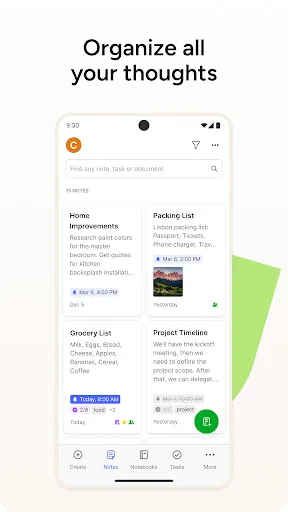
Capture ideas when inspiration strikes. Bring your notes, to-dos, and schedule together to tame life’s distractions and accomplish more—at work, at home, and everywhere in between. Evernote syncs to all your devices, so you can stay productive on the go. Tackle your to-do lis…
Pros
- Quick note capture with tags and notebooks
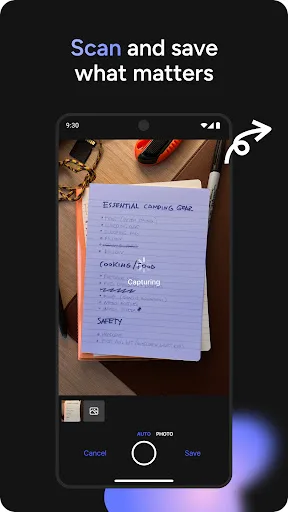
- Powerful search including handwritten text
- Seamless syncing across all devices
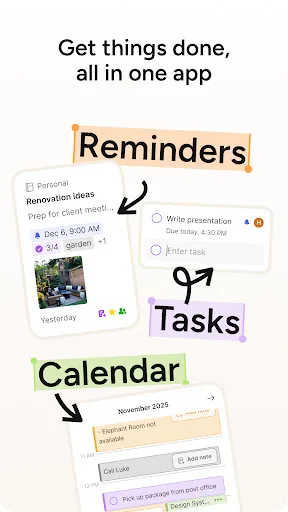
- Integrated Tasks and Google Calendar view
- Web clipper for saving articles and pages
Cons
- Free tier limited to 60 MB monthly upload
- AI features require a paid subscription
- Outdated interface and slower performance
Final Verdict
Our pick: Notion: Notes, Tasks, AI
Both apps are powerful, but Notion wins for its AI capabilities, superior collaboration features, and customizable workspace. It’s better for teams and users who want a single hub for notes, tasks, and databases. Evernote excels in quick capture and cross-platform syncing, but its higher price and older interface make it less future-proof. For most users, especially those needing AI and team features, Notion is the recommended choice.
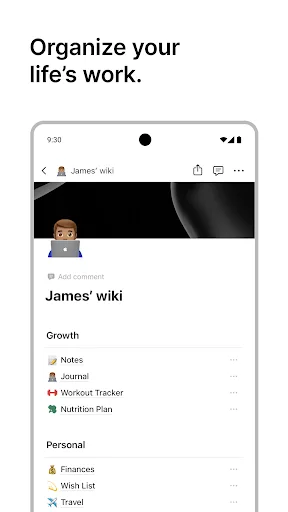
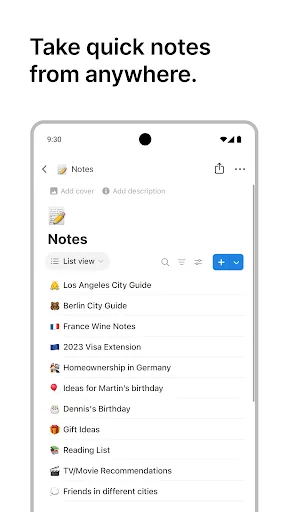
Notion: Notes, Tasks, AI Screenshots
Official app screenshots from the Google Play Store.



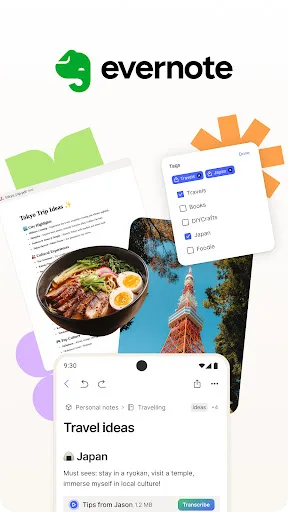
Evernote - Note Organizer Screenshots
Official app screenshots from the Google Play Store.

Frequently Asked Questions
Which app has a better rating?
Notion has a higher rating of 4.57 compared to Evernote's 3.52, based on user reviews.
Can I use these apps offline?
Both offer offline access, but Notion's offline mode is limited on mobile. Evernote provides full offline access to downloaded notes on all devices.
Do these apps have ads?
Neither Notion nor Evernote display ads in their free or paid versions.
What are the device requirements?
Both apps run on Android 6.0+ and iOS 14+. Notion requires an internet connection for full features; Evernote works offline with synced data.
Which app should I choose?
Choose Notion if you need an all-in-one workspace with AI, collaboration, and customization. Choose Evernote if you prefer simple, fast note capture and reliable cross-platform syncing.
Related Comparisons
 VS
VS

ColorNote vs Noteshelf 3: Which Note-Taking App Reigns Supreme
 VS
VS

Google Keep vs Microsoft OneNote: Which Note-Taking App Wins
 VS
VS
Freenotes vs Easy Notes: Which Note-Taking App Reigns Supreme?
 VS
VS
Samsung Notes vs Notion: Which Note-Taking App Reigns Supreme
VS

ColorNote vs Zoho Notebook: Which Notes App is Best for You?
VS