Notion vs Mind Notes: Which Note-Taking App Wins
Notion is an AI-powered all-in-one workspace ideal for power users, teams, and students who need project management, databases, and collaboration. Mind Notes is a lightweight, free notepad perfect for quick memos, checklists, and sticky notes with simple organization. If you want a robust productivity suite, choose Notion. For fast, no-frills note-taking, Mind Notes is better.
Notion: Notes, Tasks, AI
Recommended- Rating
- ★ 4.58
- Downloads
- 10,000,000+
- Developer
- Notion Labs, Inc.
Mind Notes: Note-Taking Apps
- Rating
- ★ 4.53
- Downloads
- 1,000,000+
- Developer
- Gulooloo Tech Co., Ltd.
Notion is an AI-powered all-in-one workspace that helps individuals and teams write notes, manage tasks, organize projects, and collaborate in one place. Whether you’re tracking personal to-do lists, writing and organizing class notes, or managing projects with a team, Notion h…
Pros
- AI-powered writing assistant and summarization
- All-in-one workspace: notes, tasks, databases, wikis
- Robust collaboration and sharing features
- Customizable templates for any use case
- Cross-platform sync with offline access
Cons
- Steep learning curve for new users
- Free plan has limited block count
- Can be overwhelming for simple note-taking
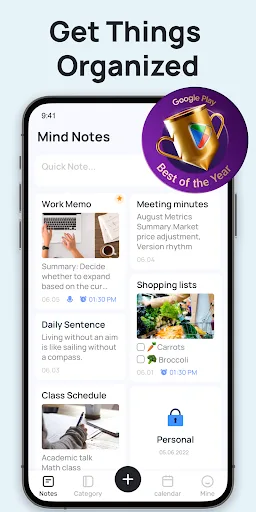
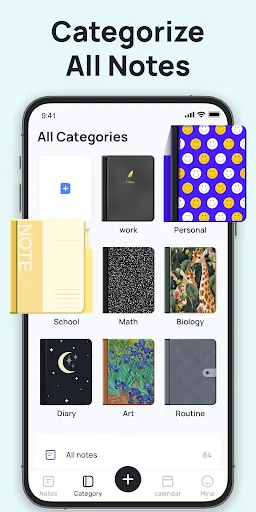
Wanna take quick memos and simple notes with a notepad free and note-taking apps? Wanna keep notes and checklists well organized with a good notes writer? Wanna manage memos and sticky notes with categories and sticky notes widgets? Then, this free notes app, notebooks and note-t…
Pros
- Completely free with no ads
- Lightweight and fast for quick notes
- Sticky notes widget for home screen
- Simple category and folder organization
- Low storage and battery usage
Cons
- No cloud sync or backup features
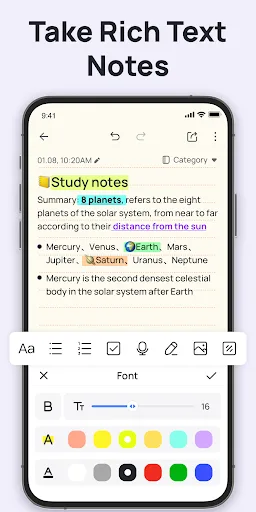
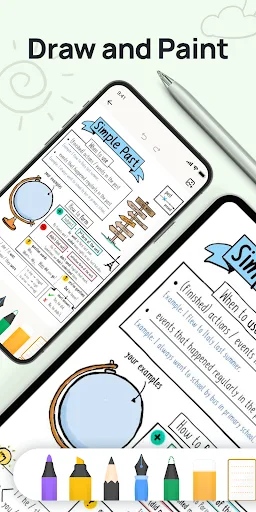
- Basic formatting and no rich media support
- Limited to text and simple checklists
Final Verdict
Our pick: Notion: Notes, Tasks, AI
Both apps serve different audiences. Notion offers unparalleled versatility with AI, databases, and team collaboration, making it the best choice for professionals and students who need an integrated workspace. Mind Notes excels in simplicity and speed for basic notes and widgets, suiting casual users who want a free, ad-free experience. However, for most users seeking a powerful, future-proof note-taking solution, Notion is the winner due to its extensive features and cross-platform sync. Mind Notes is excellent for quick memos but lacks advanced capabilities. Overall, Notion wins for its comprehensive feature set.
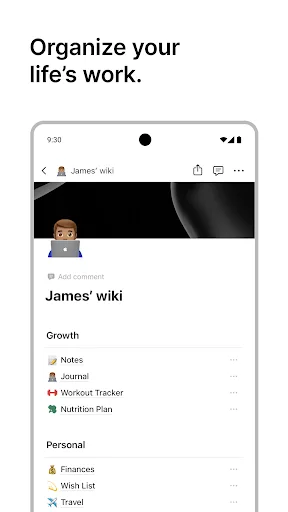
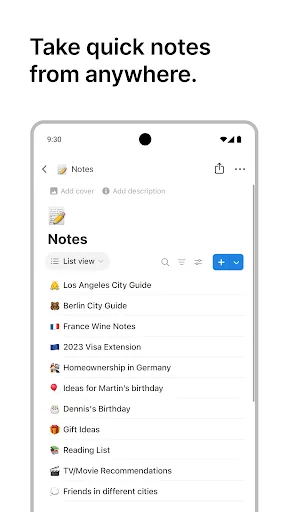
Notion: Notes, Tasks, AI Screenshots
Official app screenshots from the Google Play Store.



Mind Notes: Note-Taking Apps Screenshots
Official app screenshots from the Google Play Store.

Frequently Asked Questions
Which app has a higher rating?
Notion has a rating of 4.565, slightly higher than Mind Notes at 4.532. Both are well-rated, but Notion edges ahead by a small margin.
Can I use these apps offline?
Notion offers offline access on paid plans; free plan requires internet. Mind Notes works fully offline without internet.
Do these apps show ads?
Notion is ad-free. Mind Notes is also completely free with no ads.
What are the minimum Android requirements?
Notion requires Android 6.0+ and about 100MB storage. Mind Notes requires Android 5.0+ and under 10MB.
Which app should I choose for simple note-taking?
For quick memos and checklists, Mind Notes is simpler and faster. For advanced notes, tasks, and collaboration, choose Notion.
Related Comparisons
 VS
VS

ColorNote vs Noteshelf 3: Which Note-Taking App Reigns Supreme
 VS
VS

Google Keep vs Microsoft OneNote: Which Note-Taking App Wins
 VS
VS
Freenotes vs Easy Notes: Which Note-Taking App Reigns Supreme?
 VS
VS
Samsung Notes vs Notion: Which Note-Taking App Reigns Supreme
VS

ColorNote vs Zoho Notebook: Which Notes App is Best for You?
VS