TimeTree vs Google Calendar: Which Shared Calendar App Reigns Supreme?
TimeTree is a dedicated shared calendar app loved by 70 million users worldwide, perfect for families and groups who need to coordinate schedules effortlessly. Google Calendar, with over 5 billion installs, is a versatile powerhouse that integrates deeply with Google services, ideal for individuals and professionals who want a comprehensive planning tool. Both apps excel in their own domains, but your choice depends on whether you prioritize seamless sharing or broad ecosystem integration.

TimeTree - Shared Calendar
- Rating
- ★ 4.69
- Downloads
- 10,000,000+
- Developer
- TimeTree, Inc.

Google Calendar
Recommended- Rating
- ★ 4.64
- Downloads
- 10,000,000,000+
- Developer
- Google LLC
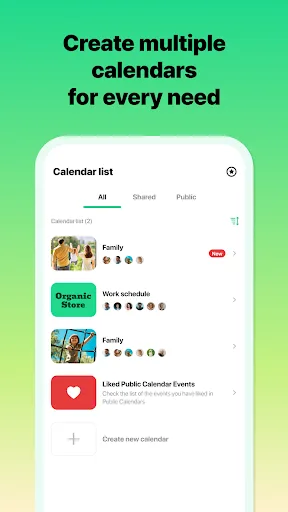
App loved by 75 million users worldwide Winner of the "App Store Best of 2015" award! "Connect over time. Grow bonds together." Sharing with TimeTree - Family use Solve time management issues of double-booking with family members. Ideal also for planning to pick up the kids and o…
Pros
- Excellent shared calendar features with color-coded events for different members.
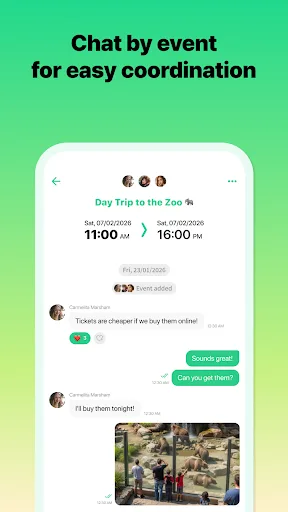
- Comment and chat on events directly within the app.
- Winner of App Store Best of 2015 award, indicating high user satisfaction.
- Ideal for family coordination with features like pick-up schedules.
- Syncs with other calendar services like Google Calendar and Outlook.
Cons
- Limited integration with other Google services beyond basic sync.
- User interface can feel cluttered with many shared calendars.
- Less popular than Google Calendar, so fewer third-party integrations.
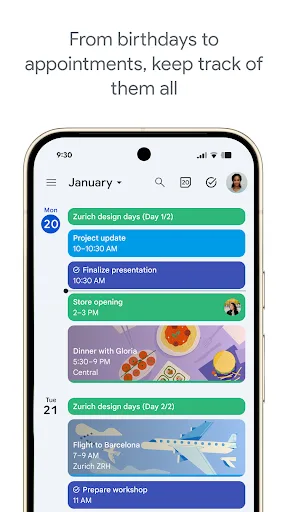
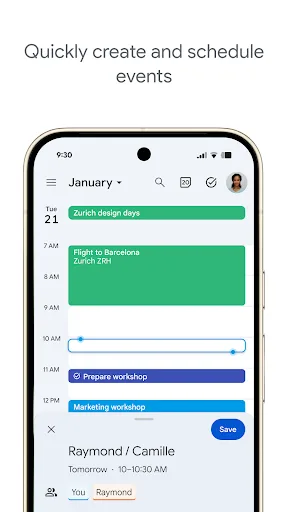
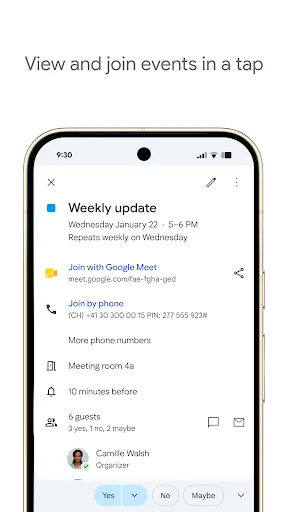
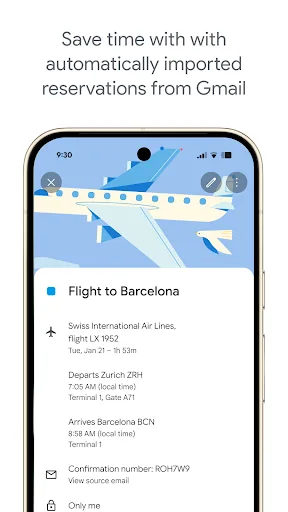
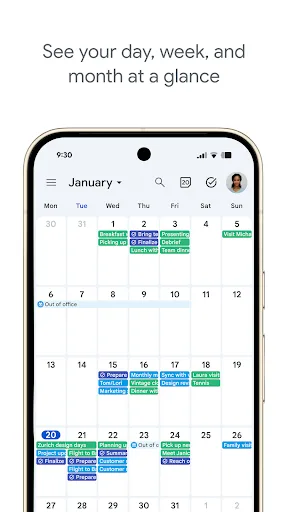
Get the official Google Calendar app, for your Android phone, tablet, or Wear OS device to stay organized and plan your day. Make the most of your day with easy event creation, multiple calendars, customizable views, widgets, tasks, and more With Google Calendar, you can: • Get…
Pros
- Seamless integration with Gmail, automatically adding events from flights, hotels, etc.
- Robust task management with Google Tasks integration.
- Multiple calendar views (day, week, month, schedule) and customizable widgets.
- Supports multiple calendars (work, personal, etc.) with color coding.
- Excellent offline support for viewing and editing events.
Cons
- Shared calendar features are less intuitive than TimeTree's dedicated approach.
- Occasional sync delays between devices.
- Privacy concerns for users wary of Google's data collection.
Final Verdict
Our pick: Google Calendar
For most users, especially those deeply embedded in the Google ecosystem, Google Calendar is the superior choice due to its unmatched integration with Gmail, Google Meet, and Tasks, along with its robust feature set and reliability. However, if your primary need is effortless shared calendars for family or group coordination with a social feel, TimeTree offers a more intuitive and dedicated experience. Google Calendar's cons—such as limited offline editing and occasional sync issues—are minor compared to its overall utility. TimeTree's cons include a less polished interface and fewer integrations. Overall, Google Calendar wins for versatility and ecosystem synergy, while TimeTree is the specialist for shared scheduling.
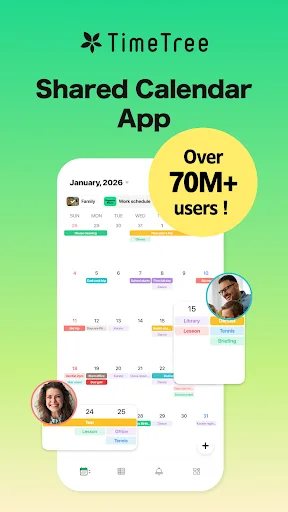
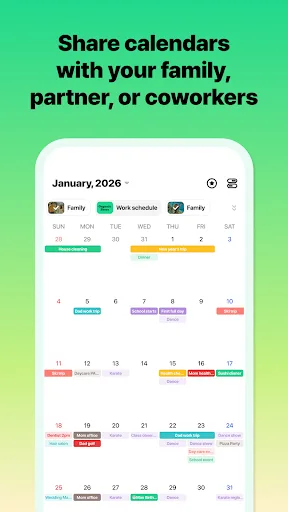
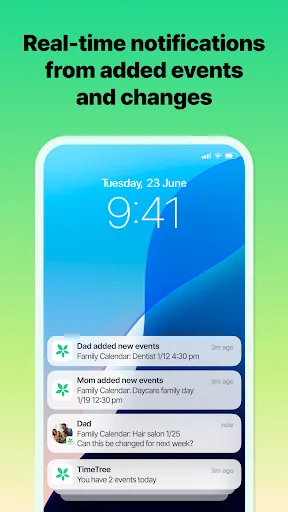
TimeTree - Shared Calendar Screenshots
Official app screenshots from the Google Play Store.
Google Calendar Screenshots
Official app screenshots from the Google Play Store.
Frequently Asked Questions
Which app has a higher rating?
TimeTree has a slightly higher rating of 4.68 compared to Google Calendar's 4.65, but both are highly rated.
Can I use these apps offline?
Google Calendar offers robust offline support for viewing and editing events. TimeTree also allows offline access to previously synced data, but some features may require an internet connection.
Do these apps contain ads?
Google Calendar is ad-free. TimeTree is also ad-free, but it offers premium features via subscription.
What are the device requirements?
Both apps require Android 5.0 (Lollipop) or higher. TimeTree requires about 30MB of storage, while Google Calendar requires around 20MB.
Which app should I choose for family sharing?
If your primary need is a dedicated shared calendar for family coordination, TimeTree is the better choice due to its intuitive sharing features. For general use with occasional sharing, Google Calendar is more versatile.
Related Comparisons
 VS
VS

Daily Planner vs TickTick: Best Calendar & To-Do App for 2026
VS

TimeTree vs Samsung Calendar: Which Shared Calendar App Wins for Families?
VS
TickTick vs TimeTree: Which Calendar & To-Do App Wins
 VS
VS
Any.do vs Todolize: Which To-Do List & Calendar App Reigns Supreme?
VS

Google Calendar vs Business Calendar 2: Which Android Calendar App Wins?
VS