Todoist vs TickTick: Ultimate Calendar & To-Do App Comparison
Todoist is ideal for users who want a clean, cross-platform task manager that integrates seamlessly with other tools. It excels in simplicity and collaboration, making it perfect for professionals and teams. TickTick, on the other hand, offers a more feature-rich experience with built-in Pomodoro timers, habit trackers, and calendar views, appealing to power users who want an all-in-one productivity hub. Both apps have millions of downloads and high ratings, but they cater to slightly different needs.
Todoist: To Do List & Calendar
- Rating
- ★ 4.58
- Downloads
- 10,000,000+
- Developer
- Doist Inc.

TickTick:To Do List & Calendar
Recommended- Rating
- ★ 4.59
- Downloads
- 10,000,000+
- Developer
- TickTick Limited
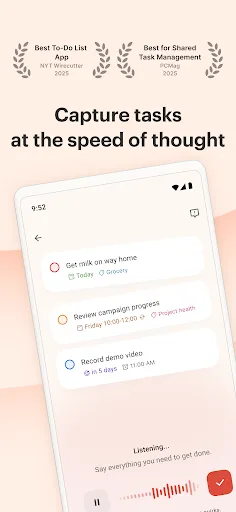
You have enough on your plate without fighting your productivity tools. Todoist is the planner and habit tracker that bridges personal and professional productivity, without the complexity tax. Join 50+ million people and teams who trust Todoist as their second brain to organize…
Pros
- Cross-platform sync with over 30 app integrations (Slack, Zapier, etc.)
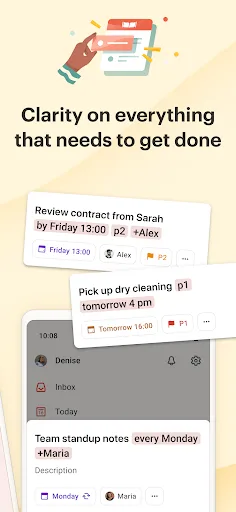
- Natural language input for quick task creation
- Clean, intuitive interface with minimal learning curve
- Powerful collaboration features for teams (shared projects, comments)
- Karma system to gamify productivity and track streaks
Cons
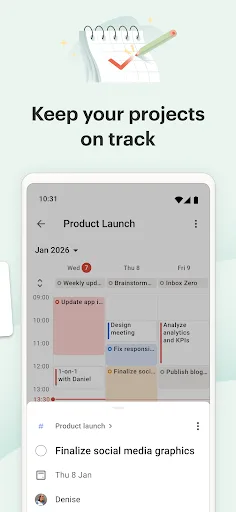
- Calendar view is less robust compared to dedicated calendar apps
- No built-in Pomodoro timer or habit tracker
- Premium subscription required for advanced features like reminders and labels
🥇 Great to-do list app for new Android device - The Verge 🥇 The best to-do app for Android - MakeUseOf 🥇 The best to-do list app for 2020 - Wirecutter (A New York Times Company) 🙌 MKBHD's favorite productivity tool TickTick is your personal productivity powerhouse, ex…
Pros
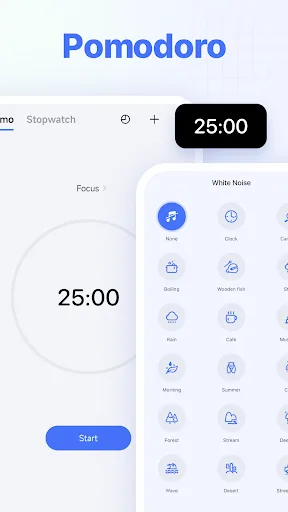
- Built-in Pomodoro timer and habit tracker for all-in-one productivity
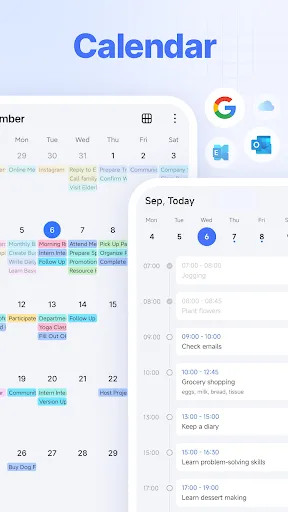
- Flexible calendar view with multiple layout options (day, week, month, agenda)
- Highly customizable with tags, filters, and smart lists
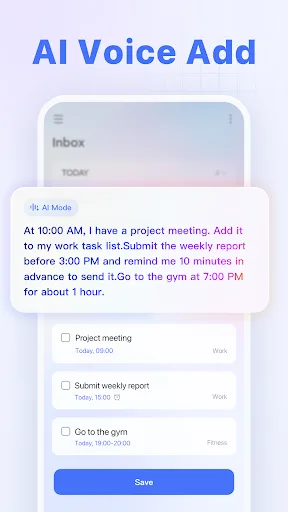
- Voice input and natural language parsing for fast task entry
- Offline mode with full functionality and automatic sync when online
Cons
- Interface can feel cluttered with many features visible at once
- Less extensive third-party integrations compared to Todoist
- Free version limits file attachments and collaboration features
Final Verdict
Our pick: TickTick:To Do List & Calendar
For most users, TickTick edges ahead due to its richer feature set and slightly higher rating. Its built-in Pomodoro timer, habit tracking, and flexible calendar views provide more value without needing extra apps. However, if you prioritize a minimalist interface and deep third-party integrations (like Slack, Zapier), Todoist remains a strong choice. Ultimately, TickTick is recommended for those wanting an all-in-one solution, while Todoist suits users who prefer a streamlined, integration-focused workflow. The winner is TickTick.
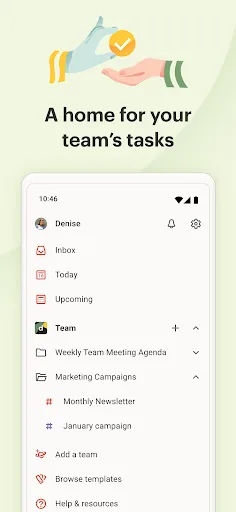
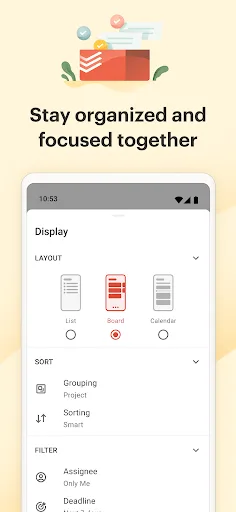
Todoist: To Do List & Calendar Screenshots
Official app screenshots from the Google Play Store.
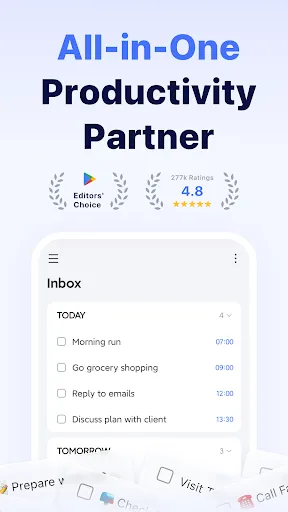
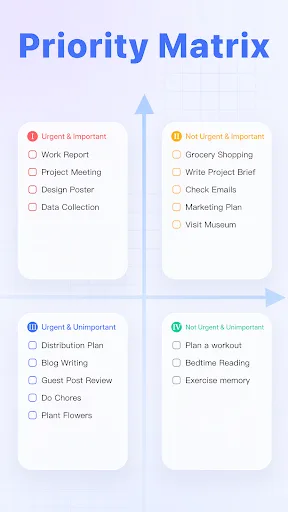
TickTick:To Do List & Calendar Screenshots
Official app screenshots from the Google Play Store.
Frequently Asked Questions
Which app has a higher rating on Google Play?
TickTick has a slightly higher rating of 4.596 compared to Todoist's 4.579, both with over 10 million installs.
Can I use these apps offline?
Both apps offer offline functionality. Todoist allows task creation and editing offline with sync when connected. TickTick provides full offline access including calendars and lists, syncing automatically once online.
Do these apps contain ads?
Neither Todoist nor TickTick display ads in the free or premium versions. Both rely on subscription models for revenue.
What are the device requirements for these apps?
Both apps require Android 5.0+ and work on phones and tablets. They are optimized for various screen sizes and support Wear OS for smartwatch integration.
Which app should I choose for personal productivity?
If you want a simple, integration-friendly tool, choose Todoist. For an all-in-one solution with Pomodoro, habits, and a strong calendar, go with TickTick.
Related Comparisons
 VS
VS
Daily Planner vs TickTick: Best Calendar & To-Do App for 2026
 VS
VS
TimeTree vs Samsung Calendar: Which Shared Calendar App Wins for Families?
VS
TickTick vs TimeTree: Which Calendar & To-Do App Wins
 VS
VS
Any.do vs Todolize: Which To-Do List & Calendar App Reigns Supreme?
 VS
VS

Google Calendar vs Business Calendar 2: Which Android Calendar App Wins?
VS