Any.do vs Notion: Which Productivity App Wins
Any.do is a streamlined to-do list and calendar app designed for individuals and families who want a simple, focused task management experience. Notion is a powerful all-in-one workspace that combines notes, tasks, wikis, and AI, ideal for power users and teams needing extensive customization. Both apps have over 10 million installs and high ratings, but they cater to different productivity styles.

Any.do - To do list & Calendar
- Rating
- ★ 4.40
- Downloads
- 10,000,000+
- Developer
- Any.do To-do list & Calendar
Notion: Notes, Tasks, AI
Recommended- Rating
- ★ 4.58
- Downloads
- 10,000,000+
- Developer
- Notion Labs, Inc.
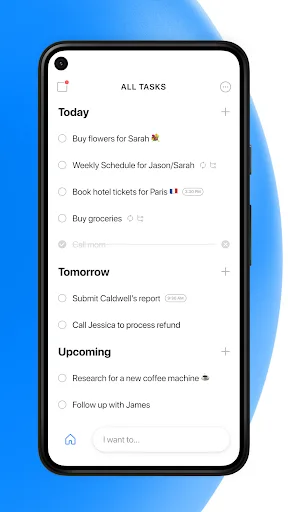
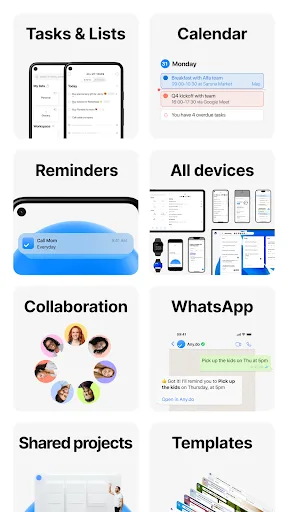
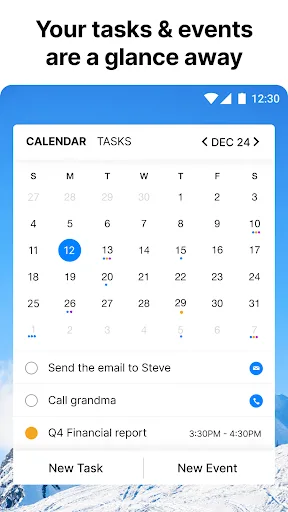
🥇 "#1 To do list app out there” - WSJ 🏆 Editor's Choice by Google Over +40M people, families and teams rely on Any.do to stay organized and get more done. It's a simple and powerful to do list app with built in tasks, reminders, daily planner and calendar - all-in-one. �…
Pros
- Simple and intuitive interface for quick task entry
- Built-in daily planner and calendar integration
- Recurring tasks and smart reminders
- Cross-platform sync with widgets and voice input
- Collaboration features for shared lists with family or team
Cons
- Limited customization and no database capabilities
- Free version has ads and limited features
- No offline mode for core functionality
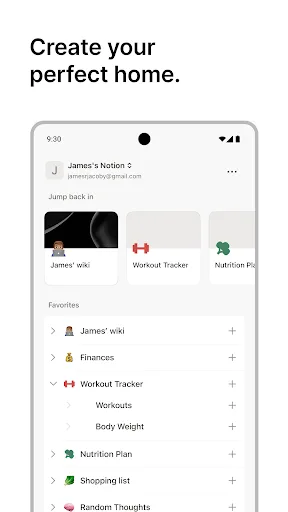
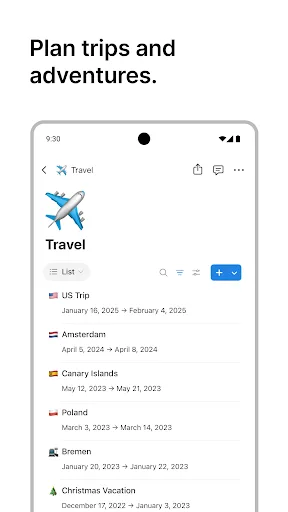
Notion is an AI-powered all-in-one workspace that helps individuals and teams write notes, manage tasks, organize projects, and collaborate in one place. Whether you’re tracking personal to-do lists, writing and organizing class notes, or managing projects with a team, Notion h…
Pros
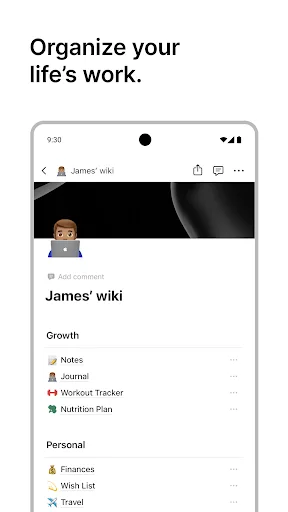
- All-in-one workspace: notes, tasks, wikis, and databases
- Highly customizable with templates and relational databases
- AI-powered writing and summarization assistance
- Excellent collaboration with real-time editing and comments
- Offline access and robust cross-platform support
Cons
- Steep learning curve due to extensive features
- Can feel overwhelming for simple to-do list needs
- Free plan has limited storage and block count
Final Verdict
Our pick: Notion: Notes, Tasks, AI
For users who need a straightforward, reliable to-do list with calendar integration and reminders, Any.do is the better choice due to its simplicity and ease of use. However, for those who want a highly customizable workspace with note-taking, databases, and AI features, Notion is the clear winner. Notion’s versatility makes it superior for project management and collaboration, while Any.do excels in personal task tracking. Ultimately, Notion’s broader feature set and higher rating (4.56 vs 4.40) give it the edge.
Any.do - To do list & Calendar Screenshots
Official app screenshots from the Google Play Store.

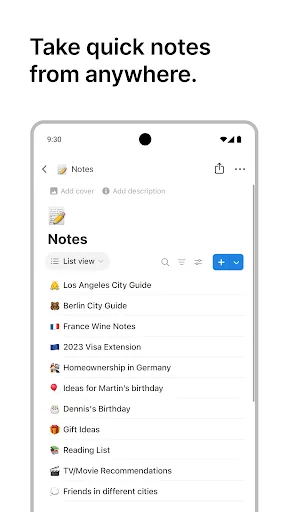
Notion: Notes, Tasks, AI Screenshots
Official app screenshots from the Google Play Store.

Frequently Asked Questions
Which app has a higher rating?
Notion has a higher rating of 4.56 compared to Any.do's 4.40, based on Google Play Store reviews.
Does either app support offline use?
Notion supports offline access for viewing and editing previously loaded pages. Any.do requires an internet connection for most features and does not offer full offline mode.
Are there ads in the free versions?
Any.do's free version includes ads. Notion's free plan is ad-free but has usage limits on storage and blocks.
What are the device requirements?
Both apps run on Android 5.0+ and require a Google account. Notion also works on iOS, web, and desktop. Any.do is available on Android, iOS, and web.
Which app should I choose?
Choose Any.do if you need a simple, no-fuss to-do list and calendar. Choose Notion if you want a powerful, customizable workspace for notes, tasks, and project management.
Related Comparisons
VS

Any.do vs Google Keep: Which Productivity App Reigns Supreme?
 VS
VS
Microsoft To Do vs Google Keep: Which Productivity App Reigns Supreme?
 VS
VS
Microsoft 365 Copilot vs Any.do: Which Productivity App Reigns Supreme
 VS
VS
Forest vs Microsoft To Do: Productivity Showdown – Focus Timer vs Task Manager
 VS
VS

To-Do List & Daily Planner vs TickTick: Which Productivity Powerhouse Reigns Supreme?
 VS
VS