Cx File Explorer vs Solid Explorer: Which File Manager Reigns Supreme?
Cx File Explorer is perfect for users seeking a straightforward, feature-rich file manager with robust cloud and PC integration, ideal for everyday file management and storage cleanup. Solid Explorer targets power users who need advanced dual-pane navigation, strong encryption, and extensive network protocols. Both apps have over 10 million installs and high ratings, but cater to different priorities. Whether you prefer simplicity or advanced control, this comparison will help you decide.

Cx File Explorer
Recommended- Rating
- ★ 4.75
- Downloads
- 10,000,000+
- Developer
- Cx File Explorer
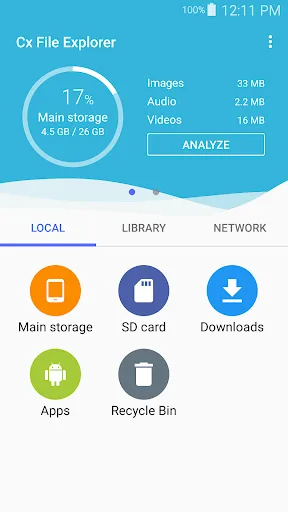
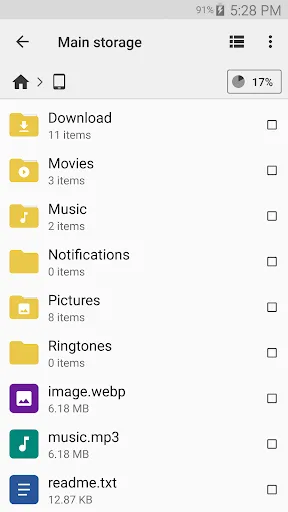
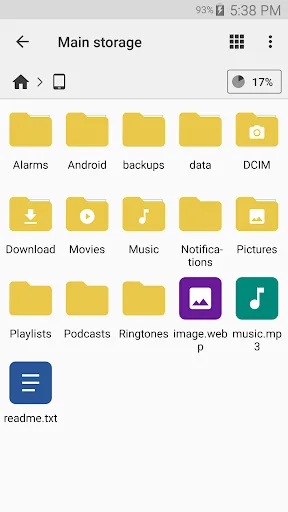
Cx File Explorer is a powerful file manager & storage cleaner app with a clean and intuitive interface. With this file manager app, you can quickly browse and manage the files on your mobile device, PC, and cloud storage, just like you use Windows Explorer or Finder on your PC or…
Pros
- Intuitive and clean user interface suitable for all users
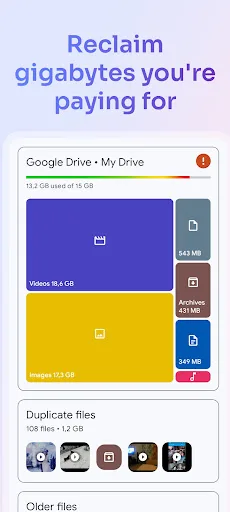
- Built-in storage cleaner to free up space
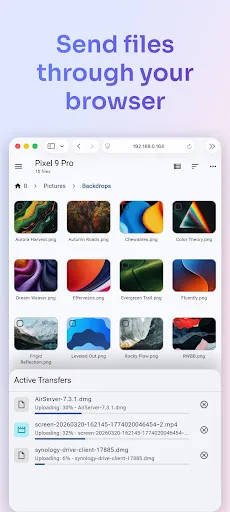
- Seamless integration with PC and cloud storage (Google Drive, Dropbox, etc.)
- Lightweight and fast performance
- Advanced features like root explorer and app manager without bloat
Cons
- No dual-pane layout for power users
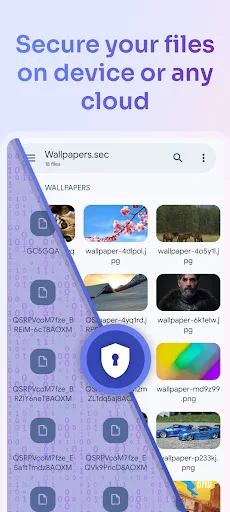
- Limited encryption options (no built-in file encryption)
- Occasional ads in the free version
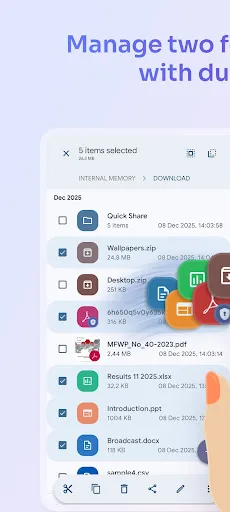
Solid Explorer is a powerful file manager that gives you full control over files on your device, in the cloud, and across your network. 🗄️ Dual-pane layout — drag and drop files between two panels 🔐 AES-256 encryption — lock files with password or fingerprint 🖥️…
Pros
- Dual-pane layout with drag-and-drop support
- AES-256 encryption with password or fingerprint lock
- Extensive cloud and network protocol support (SMB, SFTP, FTP, WebDAV)
- Web file sharing feature for easy transfers
- Customizable themes and plugins
Cons
- Outdated interface design compared to modern alternatives
- Steeper learning curve for new users
- Some advanced features require in-app purchases
Final Verdict
Our pick: Cx File Explorer
For most users, Cx File Explorer is the better choice due to its cleaner interface, built-in storage cleaner, and seamless cloud/PC access without sacrificing essential features. Solid Explorer excels in dual-pane operation and encryption but feels more complex and dated. If you value efficiency and ease of use, go with Cx File Explorer. However, if you require dual-pane file management and AES encryption, Solid Explorer remains a strong option. Overall, Cx File Explorer offers a more modern and user-friendly experience.
Cx File Explorer Screenshots
Official app screenshots from the Google Play Store.



Solid Explorer File Manager Screenshots
Official app screenshots from the Google Play Store.

Frequently Asked Questions
Which app has a higher rating?
Cx File Explorer has a rating of 4.7516, higher than Solid Explorer's 4.452258, based on Google Play data.
Can I use these apps offline?
Yes, both apps work offline for local file management. However, cloud and network features require an internet connection.
Do these apps contain ads?
Cx File Explorer has occasional ads in its free version. Solid Explorer is ad-free but offers in-app purchases for full features.
What are the device requirements for these apps?
Both apps require Android 5.0 or higher and work on phones and tablets. They are lightweight and compatible with most devices.
Which file manager should I choose?
Choose Cx File Explorer for a user-friendly, all-in-one file manager with storage cleaning. Choose Solid Explorer if you need dual-pane navigation and strong encryption.
Related Comparisons
 VS
VS

Xender vs Files by Google: Which File Manager & Transfer App Wins in 2026
 VS
VS

Google Drive vs Dropbox: The Ultimate File Manager Showdown
VS
Solid Explorer vs Google Drive: Best File Manager for Android
VS
Cx File Explorer vs Samsung My Files: Which File Manager Reigns Supreme?
VS

Files by Google vs Mi File Manager: Which File Manager App Reigns Supreme?
 VS
VS