Dropbox vs Samsung My Files: Cloud Backup vs Local File Manager
Dropbox is a leading cloud storage service designed for users who need to sync, share, and backup files across devices. It is ideal for professionals, teams, and anyone who requires reliable cloud access. Samsung My Files is a built-in file explorer for Samsung devices, perfect for managing local files, SD cards, and USB drives without needing cloud storage. Both apps serve different primary purposes: Dropbox focuses on cloud-based file management, while My Files excels at local file organization.

Dropbox: Secure Cloud Storage
Recommended- Rating
- ★ 4.38
- Downloads
- 1,000,000,000+
- Developer
- Dropbox, Inc.
Samsung My Files
- Rating
- ★ 4.05
- Downloads
- 5,000,000,000+
- Developer
- Samsung Electronics Co., Ltd.
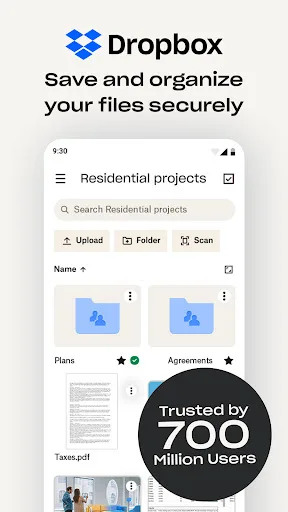
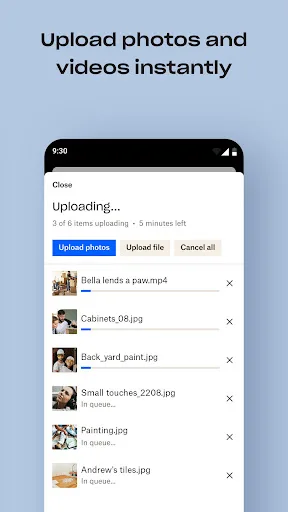
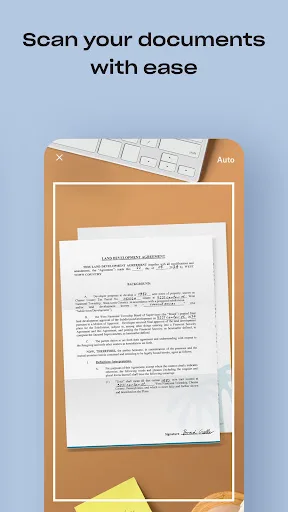
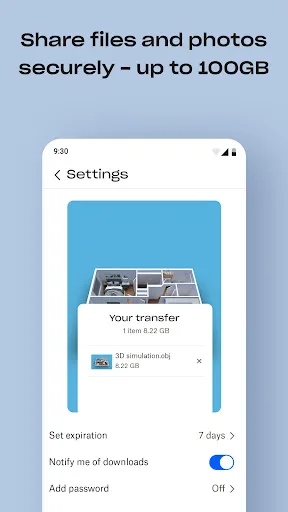
Dropbox allows you to backup your most essential files to the cloud, where you may access them at any time and from any location! Over 700 million registered users and 600,000 teams rely on it. Simple to use, trustworthy, private, and secure! Features: • Automatically upload ph…
Pros
- Automatic camera uploads to cloud storage
- File sharing via links with permissions control
- Offline access to selected files
- Cross-platform sync (Android, iOS, desktop)
- Version history and file recovery for 30 days
Cons
- Requires internet connection for cloud access
- Free storage limited to 2 GB
- No native local file manager for SD cards
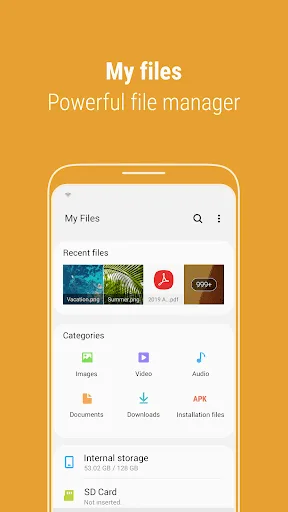
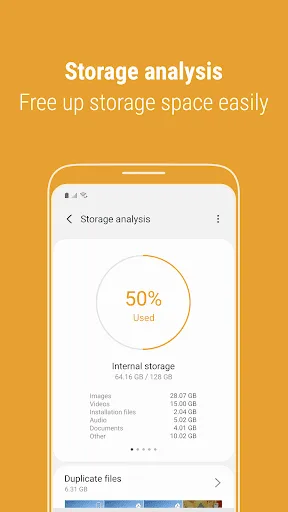
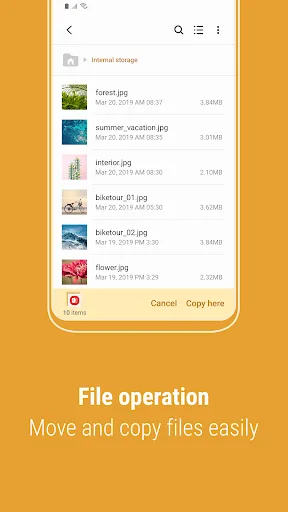
[Introducing My Files] "My Files" manages all the files on your smartphone, just like a file explorer on your computer. You can also manage files stored on SD cards, USB drives and files in the cloud storage connected with your smartphone at the same time. Download and experience…
Pros
- Pre-installed on Samsung devices, no download needed
- Manage files on device, SD card, and USB OTG
- Storage analysis tool to free up space
- Quick access to recent files and categories
- Lightweight and optimized for Samsung One UI
Cons
- Limited cloud integration (only Samsung Cloud)
- No file sharing via public links
- Only available on Samsung devices
Final Verdict
Our pick: Dropbox: Secure Cloud Storage
If you need seamless cloud backup, file sharing, and cross-device access, Dropbox is the better choice with its robust sync and collaboration features. However, for Samsung users who primarily manage files locally on their device, SD card, or USB drive, Samsung My Files offers a more integrated and lightweight solution. Dropbox wins for cloud-centric users, while My Files is unbeatable for local file management on Samsung devices. Consider your primary use case: cloud storage or local file exploration.
Dropbox: Secure Cloud Storage Screenshots
Official app screenshots from the Google Play Store.
Samsung My Files Screenshots
Official app screenshots from the Google Play Store.
Frequently Asked Questions
Which app has better ratings?
Dropbox has a higher rating of 4.38 compared to Samsung My Files' 4.06, based on millions of reviews.
Can I use these apps offline?
Samsung My Files works fully offline for local files. Dropbox allows offline access to files you mark as available offline, but cloud features require internet.
Do these apps have ads?
Both apps are ad-free. Dropbox offers a free tier with limited storage, and My Files is completely free with no ads.
What are the device requirements?
Dropbox runs on Android 5.0+ and requires internet for cloud features. Samsung My Files is pre-installed on Samsung devices running One UI and requires no additional setup.
Which app should I choose?
Choose Dropbox if you need cloud backup, file sharing, and cross-device sync. Choose Samsung My Files if you primarily manage local files on your Samsung device and don't need cloud storage.
Related Comparisons
 VS
VS
Xender vs Files by Google: Which File Manager & Transfer App Wins in 2026
 VS
VS
Google Drive vs Dropbox: The Ultimate File Manager Showdown
 VS
VS
Solid Explorer vs Google Drive: Best File Manager for Android
 VS
VS
Cx File Explorer vs Solid Explorer: Which File Manager Reigns Supreme?
VS
Cx File Explorer vs Samsung My Files: Which File Manager Reigns Supreme?
VS