File Manager vs Files by Google: Which File Manager App is Best for You?
File Manager (by File Manager Plus) is a feature-rich file explorer ideal for power users who need NAS and cloud storage support, with over 100 million installs and a high rating. Files by Google (by Google LLC) is a streamlined, user-friendly app focused on storage cleanup, offline sharing, and simplicity, boasting over 5 billion installs. File Manager suits users who want extensive control and advanced features, while Files by Google is perfect for those who prioritize ease of use and device optimization. Both are free, but their strengths cater to different needs.
Files by Google
Recommended- Rating
- ★ 4.50
- Downloads
- 5,000,000,000+
- Developer
- Google LLC
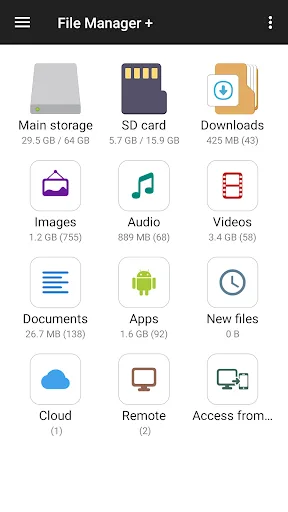
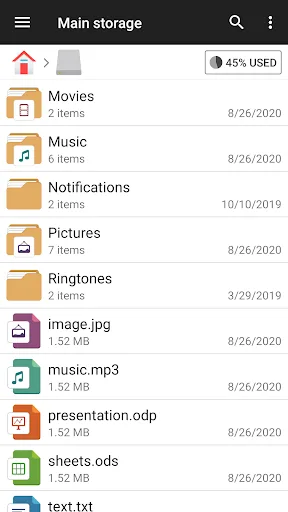
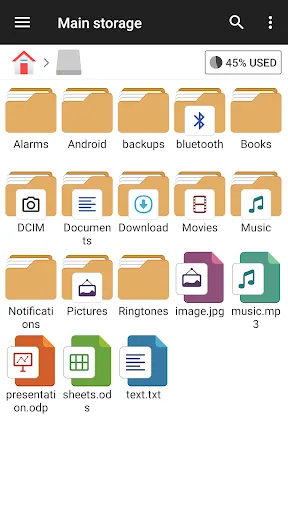
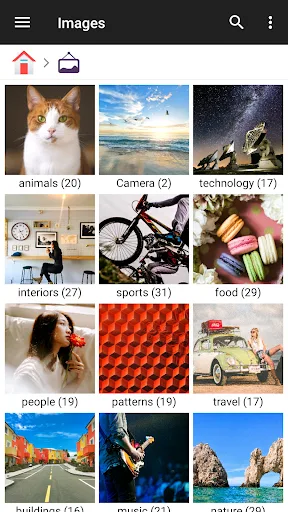
File Manager + is an easy and powerful file explorer for Android devices. It’s free, fast and full-featured. Because of its simple UI, it’s extremely easy to use. You can easily manage storages on your device, NAS(Network-attached storage), and cloud storages. What’s more,…
Pros
- Supports NAS (Network-attached Storage) access
- Integrates with multiple cloud storage services
- Provides detailed storage overview at a glance
- Simple and intuitive user interface
- Fast file operations and search
Cons
- Lacks built-in storage cleanup recommendations
- No offline file sharing feature
- Limited backup and security options
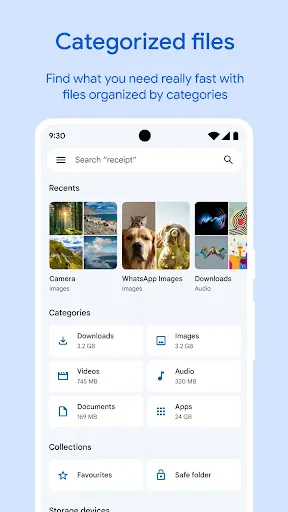
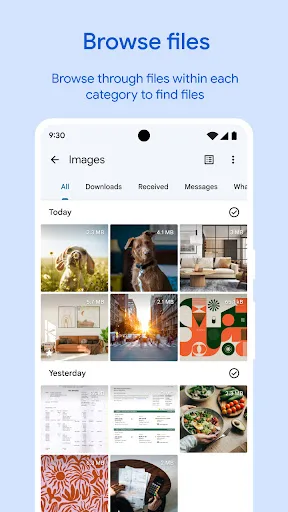
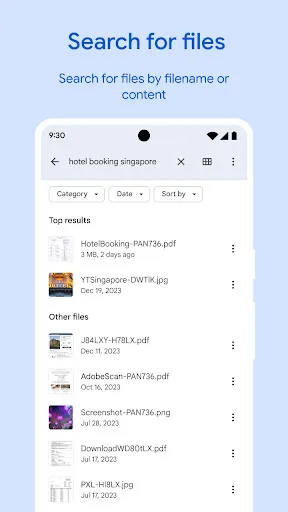
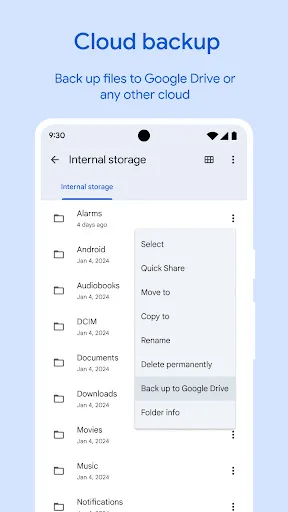
✨ Free up space on your device with cleaning recommendations 🔍 Find files faster with search and simple browsing ↔️ Quickly share files offline with Quick Share ☁️ Back up files to the cloud to save space on your device 🔒 Secure your files with a non-device lock F…
Pros
- Intelligent storage cleanup suggestions
- Fast offline file sharing via Quick Share
- Cloud backup integration to save device space
- Secure file lock with non-device password
- Lightweight and optimized for all devices
Cons
- No NAS or cloud storage management
- Less traditional file explorer functionality
- May lack advanced file operations for power users
Final Verdict
Our pick: Files by Google
For most users, Files by Google is the recommended choice due to its seamless integration with Android, exceptional cleanup tools, and massive user trust. It excels at freeing up space and sharing files offline, making it ideal for everyday use. However, if you need advanced file management like NAS access, cloud storage integration, or a traditional file explorer, File Manager is a powerful alternative. Consider your primary needs: simplicity and storage management favor Files by Google, while power features favor File Manager. Overall, Files by Google offers a more polished and essential experience for the average user.
File Manager Screenshots
Official app screenshots from the Google Play Store.

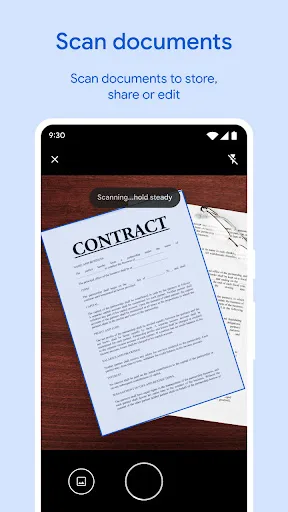
Files by Google Screenshots
Official app screenshots from the Google Play Store.
Frequently Asked Questions
Which app has a higher rating?
File Manager has a slightly higher rating of 4.649 compared to Files by Google's 4.513.
Can I use these apps offline?
Both apps work offline for local file management. Files by Google also offers offline file sharing via Quick Share.
Do these apps contain ads?
File Manager is ad-free. Files by Google may show occasional promotional content for Google services but no disruptive ads.
What are the device requirements?
Both apps require Android 5.0 or higher. Files by Google is optimized for low-end devices, while File Manager runs smoothly on most devices.
Which app should I choose?
Choose Files by Google for storage cleanup, offline sharing, and simplicity. Choose File Manager if you need NAS, cloud storage, or advanced file management.
Related Comparisons
 VS
VS
Xender vs Files by Google: Which File Manager & Transfer App Wins in 2026
 VS
VS

Google Drive vs Dropbox: The Ultimate File Manager Showdown
 VS
VS
Solid Explorer vs Google Drive: Best File Manager for Android
 VS
VS
Cx File Explorer vs Solid Explorer: Which File Manager Reigns Supreme?
VS
Cx File Explorer vs Samsung My Files: Which File Manager Reigns Supreme?
VS