Forest vs Microsoft 365 Copilot: Focus Timer vs AI Productivity Suite – Which App Boosts Your Efficiency?
Forest is designed for individuals who struggle with phone addiction and need a structured Pomodoro timer to stay focused. It leverages gamification to grow virtual trees as you work. Microsoft 365 Copilot targets professionals and students who need an AI-powered assistant for document creation, email drafting, and project management. Both apps serve different productivity needs: one for deep focus, the other for comprehensive task execution.

Forest: Focus for Productivity
- Rating
- ★ 4.36
- Downloads
- 10,000,000+
- Developer
- Seekrtech

Microsoft 365 Copilot
Recommended- Rating
- ★ 4.51
- Downloads
- 1,000,000,000+
- Developer
- Microsoft Corporation
Stop scrolling! The ultimate Pomodoro timer and ADHD focus app to beat phone addiction and stay focused on what matters most. ★ Google Play Best App of the Year & Editors' Choice ★ ★ Nominated for Google Play Best Social Impact App ★ Over 60,000,000 users worldwide choose…
Pros
- Gamified focus timer that plants real trees, motivating users to stay off their phone.
- Simple, intuitive interface with minimal distractions.
- Customizable focus sessions and white noise options.
- Offline functionality – no internet required for core focus timer.
- Positive environmental impact through tree planting partnerships.
Cons
- Limited to focus timing; lacks document editing, email, or AI features.
- Free version has ads; full features require in-app purchase.
- No desktop sync for focus data (only mobile).
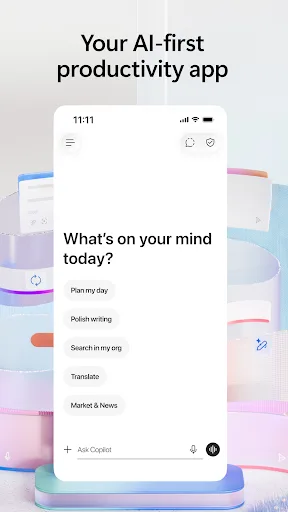
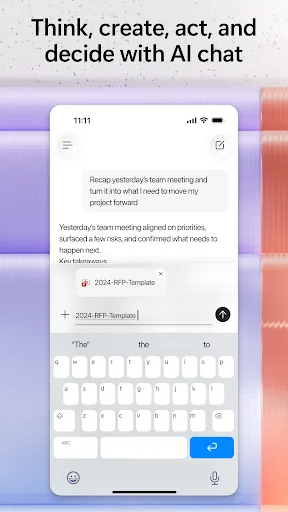
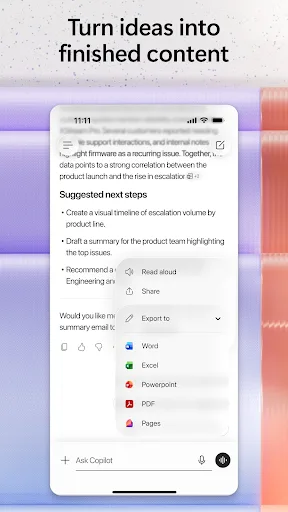
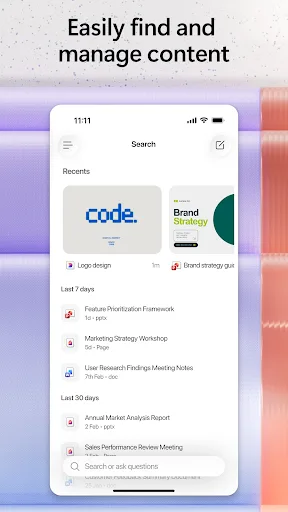
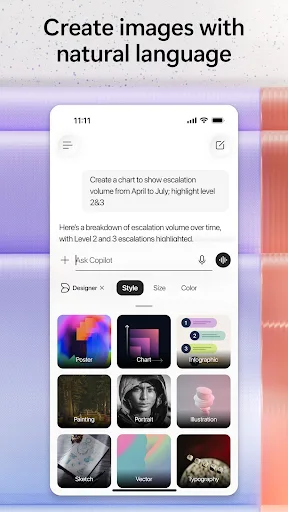
The Microsoft 365 Copilot app is your AI-first productivity app for work. It provides one place for you to chat with your AI assistant, create content, manage projects and quickly find files on the go – helping you get more done, without doing more. With the Microsoft 365 Copil…
Pros
- AI-powered assistant for drafting emails, documents, and summaries.
- Seamless integration with Microsoft 365 ecosystem (Word, Excel, Teams).
- High install base and cross-platform support (mobile, desktop, web).
- Advanced file management and search capabilities.
- Regular updates with new AI features and security patches.
Cons
- Requires Microsoft 365 subscription for full functionality.
- Not focused on reducing phone addiction; may increase screen time.
- Large app size and requires internet for AI features.
Final Verdict
Our pick: Microsoft 365 Copilot
For users seeking a distraction-free focus tool, Forest is the clear winner with its engaging gamification and simplicity. However, if you need an all-in-one AI assistant for work tasks, Microsoft 365 Copilot is unmatched. Our recommendation depends on your primary productivity bottleneck: if it's staying focused, choose Forest; if it's managing and creating content efficiently, choose Copilot. For most users, combining both could be ideal. The winner package ID is cc.forestapp for focus, but for overall productivity, com.microsoft.office.officehubrow is superior.
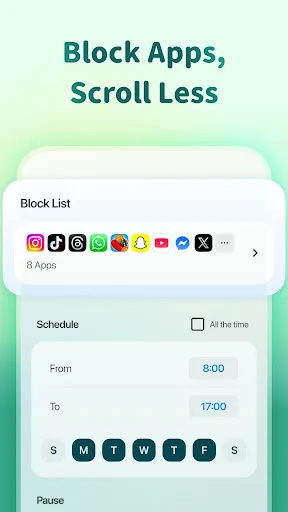
Forest: Focus for Productivity Screenshots
Official app screenshots from the Google Play Store.




Microsoft 365 Copilot Screenshots
Official app screenshots from the Google Play Store.
Frequently Asked Questions
Which app has better ratings?
Microsoft 365 Copilot has a higher rating of 4.52 compared to Forest's 4.37, based on millions of reviews.
Can I use Forest offline?
Yes, Forest's core focus timer works offline. You do not need an internet connection to start a focus session.
Does Microsoft 365 Copilot show ads?
No, Microsoft 365 Copilot does not display ads. However, some features require a paid subscription.
What are the device requirements for these apps?
Forest requires Android 5.0+ and works on most devices. Microsoft 365 Copilot requires Android 8.0+ and at least 2GB RAM for optimal AI performance.
Which app should I choose for daily productivity?
If you struggle with distractions, choose Forest. If you need help creating content and managing tasks, choose Microsoft 365 Copilot. For a balanced approach, use both together.
Related Comparisons
 VS
VS

Any.do vs Google Keep: Which Productivity App Reigns Supreme?
 VS
VS
Microsoft To Do vs Google Keep: Which Productivity App Reigns Supreme?
VS
Microsoft 365 Copilot vs Any.do: Which Productivity App Reigns Supreme
VS
Forest vs Microsoft To Do: Productivity Showdown – Focus Timer vs Task Manager
 VS
VS

To-Do List & Daily Planner vs TickTick: Which Productivity Powerhouse Reigns Supreme?
 VS
VS