Microsoft To Do vs Google Calendar: Best Productivity App Showdown
Microsoft To Do is ideal for users who want a dedicated task manager with deep Microsoft 365 integration, perfect for creating lists and reminders. Google Calendar is best for those who need a centralized scheduling hub that automatically syncs events from Gmail and supports multiple calendars. Both apps excel in productivity but cater to different workflows: To Do focuses on task lists, while Calendar emphasizes time-blocking and event planning.
Microsoft To Do: Lists & Tasks
- Rating
- ★ 4.59
- Downloads
- 10,000,000+
- Developer
- Microsoft Corporation

Google Calendar
Recommended- Rating
- ★ 4.64
- Downloads
- 10,000,000,000+
- Developer
- Google LLC
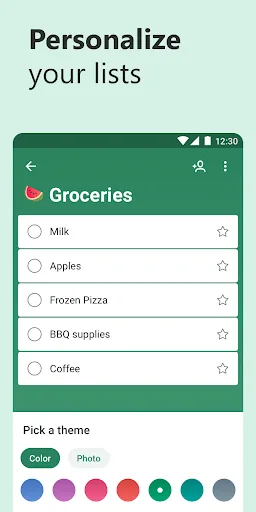
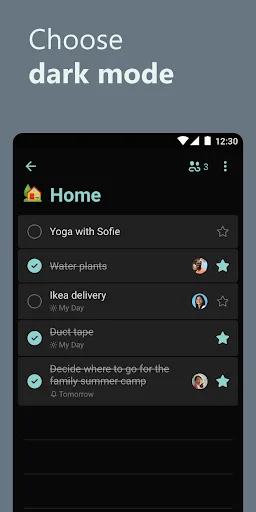
Microsoft To Do is a task management app to help you stay organized and manage your day-to-day. You can use Microsoft To Do to make shopping lists or task lists, take notes, record collections, plan an event, or set reminders to increase your productivity and focus on what matter…
Pros
- Seamless integration with Microsoft 365 apps like Outlook and Teams
- Clean, intuitive interface with customizable lists and folders
- Smart suggestions for task creation from emails and files
- Cross-platform sync across Windows, iOS, and Android
- Built-in 'My Day' feature for daily focus planning
Cons
- Limited calendar and event management capabilities
- No direct integration with Google services like Gmail
- Free version lacks advanced features like subtasks and labels
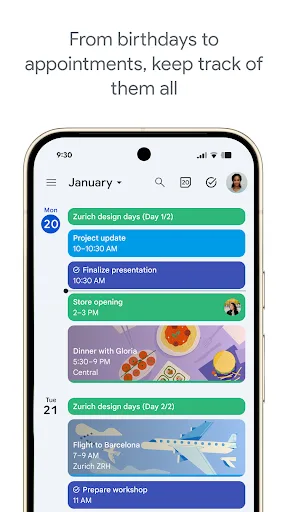
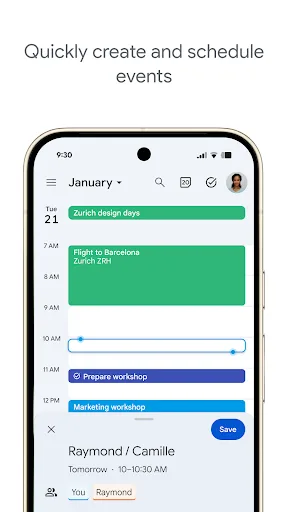
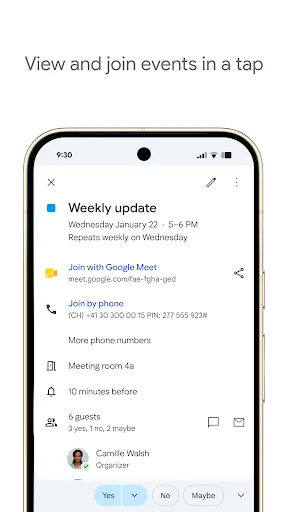
Get the official Google Calendar app, for your Android phone, tablet, or Wear OS device to stay organized and plan your day. Make the most of your day with easy event creation, multiple calendars, customizable views, widgets, tasks, and more With Google Calendar, you can: • Get…
Pros
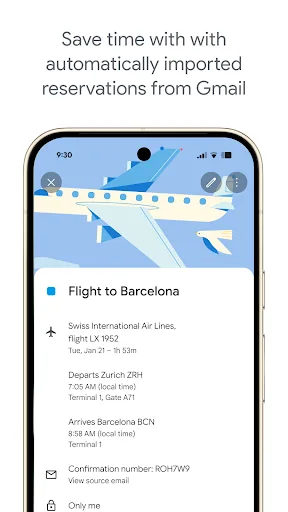
- Automatic event creation from Gmail (flights, hotels, etc.)
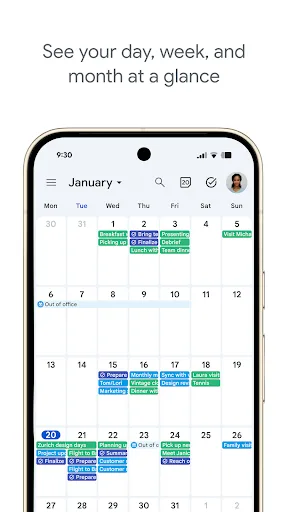
- Multiple calendar views: day, week, month, and schedule
- Supports tasks and reminders alongside events
- Works offline with seamless sync when online
- Integrates with Google Workspace and third-party apps
Cons
- Task management is less robust than dedicated apps like To Do
- Requires Google account for full functionality
- Occasional sync delays with third-party calendars
Final Verdict
Our pick: Google Calendar
For most users, Google Calendar is the winner due to its seamless integration with Gmail, massive install base, and versatile event management. It handles both tasks and events, making it a more comprehensive tool. However, if you rely heavily on Microsoft 365 or prefer a pure task-list experience, Microsoft To Do is a strong choice. Ultimately, Google Calendar’s broader feature set and higher rating give it the edge.
Microsoft To Do: Lists & Tasks Screenshots
Official app screenshots from the Google Play Store.



Google Calendar Screenshots
Official app screenshots from the Google Play Store.
Frequently Asked Questions
Which app has a higher rating?
Google Calendar has a slightly higher rating (4.64) compared to Microsoft To Do (4.60), but both are highly rated.
Can I use these apps offline?
Yes, both apps support offline access. Microsoft To Do syncs when online, while Google Calendar allows offline viewing and editing of events.
Do these apps show ads?
No, both Microsoft To Do and Google Calendar are ad-free.
What are the device requirements?
Both apps require Android 5.0 or later. Google Calendar also supports Wear OS, while Microsoft To Do works on Android and other platforms.
Which app should I choose?
Choose Google Calendar if you need a comprehensive scheduling tool with Gmail integration. Choose Microsoft To Do if you prefer a focused task list tied to Microsoft 365.
Related Comparisons
 VS
VS

Any.do vs Google Keep: Which Productivity App Reigns Supreme?
VS
Microsoft To Do vs Google Keep: Which Productivity App Reigns Supreme?
 VS
VS
Microsoft 365 Copilot vs Any.do: Which Productivity App Reigns Supreme
 VS
VS
Forest vs Microsoft To Do: Productivity Showdown – Focus Timer vs Task Manager
 VS
VS

To-Do List & Daily Planner vs TickTick: Which Productivity Powerhouse Reigns Supreme?
 VS
VS