Microsoft To Do vs TickTick: Best Android Task Manager
Microsoft To Do is a streamlined task management app ideal for users deep in the Microsoft ecosystem, offering seamless integration with Outlook and Office 365. TickTick, on the other hand, is a feature-rich powerhouse perfect for power users who need habit tracking, Pomodoro timers, and extensive customization. Both apps boast over 10 million installs and high ratings, but cater to different productivity styles.
Microsoft To Do: Lists & Tasks
- Rating
- ★ 4.59
- Downloads
- 10,000,000+
- Developer
- Microsoft Corporation

TickTick:To Do List & Calendar
Recommended- Rating
- ★ 4.59
- Downloads
- 10,000,000+
- Developer
- TickTick Limited
Microsoft To Do is a task management app to help you stay organized and manage your day-to-day. You can use Microsoft To Do to make shopping lists or task lists, take notes, record collections, plan an event, or set reminders to increase your productivity and focus on what matter…
Pros
- Seamless integration with Microsoft 365 (Outlook, Teams, Planner)
- Clean, intuitive interface with minimal learning curve
- My Day feature for daily focus planning
- Cross-platform sync with Windows and Mac
- Free to use with no ads
Cons
- Limited customization options (no tags, filters, or custom lists)
- No built-in habit tracker or Pomodoro timer
- Calendar view is basic and not interactive
🥇 Great to-do list app for new Android device - The Verge 🥇 The best to-do app for Android - MakeUseOf 🥇 The best to-do list app for 2020 - Wirecutter (A New York Times Company) 🙌 MKBHD's favorite productivity tool TickTick is your personal productivity powerhouse, ex…
Pros
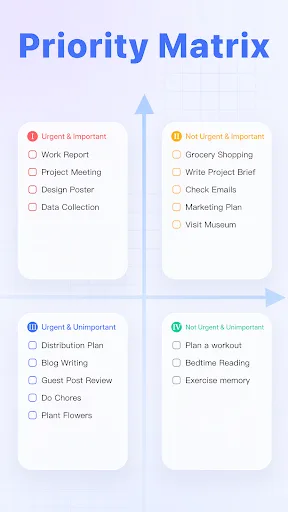
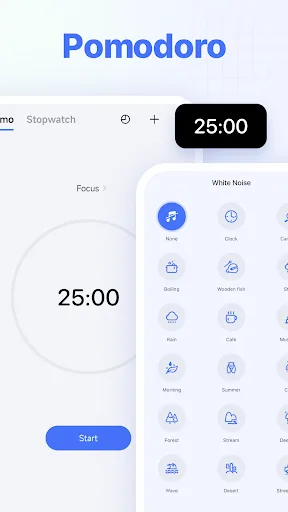
- Rich feature set: habit tracker, Pomodoro timer, calendar view
- Highly customizable with tags, lists, filters, and smart lists
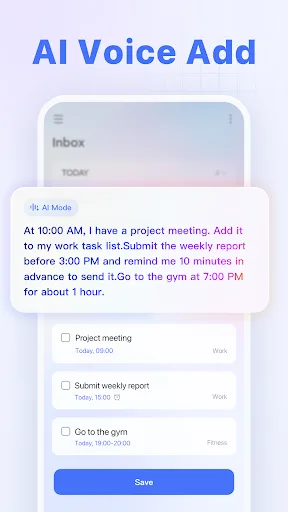
- Natural language input for quick task creation
- Collaboration features for team projects
- Offline mode with reliable sync
Cons
- Free version limits some advanced features (e.g., calendar, habit limit)
- Steeper learning curve due to many options
- Premium subscription required for full functionality
Final Verdict
Our pick: TickTick:To Do List & Calendar
For most users, TickTick is the better choice due to its superior feature set including calendar view, habit tracking, and smart lists. However, if you rely heavily on Microsoft services like Outlook or Teams, Microsoft To Do offers unmatched integration. TickTick wins for sheer versatility, while Microsoft To Do wins for simplicity and ecosystem synergy. If you want a single app to manage tasks, habits, and notes, go with TickTick.
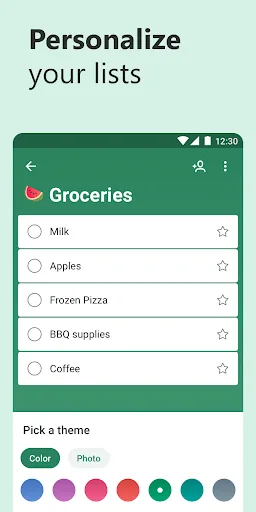
Microsoft To Do: Lists & Tasks Screenshots
Official app screenshots from the Google Play Store.




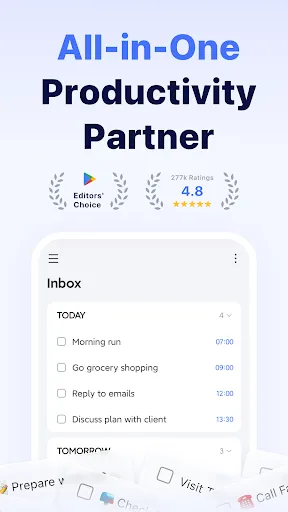
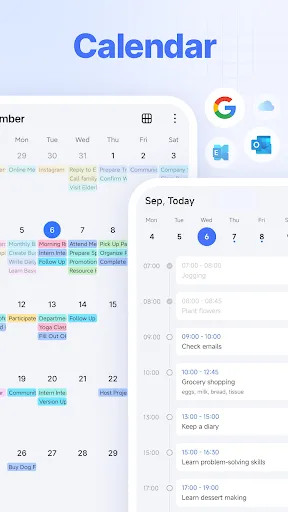
TickTick:To Do List & Calendar Screenshots
Official app screenshots from the Google Play Store.
Frequently Asked Questions
Which app has a higher rating?
Microsoft To Do has a rating of 4.60, while TickTick is at 4.59. Both are highly rated, with Microsoft To Do marginally ahead.
Can I use these apps offline?
Yes, both apps support offline mode. TickTick allows full offline task management with sync when online. Microsoft To Do also works offline, syncing changes when connected.
Do these apps show ads?
No, neither Microsoft To Do nor TickTick displays ads. Microsoft To Do is completely free. TickTick is free with optional premium subscription for advanced features.
What are the device requirements?
Both apps require Android 5.0 or higher. They are optimized for phones and tablets, with TickTick also offering a Wear OS app for smartwatches.
Which app should I choose?
Choose Microsoft To Do if you are heavily invested in Microsoft 365 and prefer a simple, focused task list. Choose TickTick if you need advanced features like habit tracking, Pomodoro, and calendar integration.
Related Comparisons
 VS
VS

Any.do vs Google Keep: Which Productivity App Reigns Supreme?
VS
Microsoft To Do vs Google Keep: Which Productivity App Reigns Supreme?
 VS
VS
Microsoft 365 Copilot vs Any.do: Which Productivity App Reigns Supreme
 VS
VS
Forest vs Microsoft To Do: Productivity Showdown – Focus Timer vs Task Manager
 VS
VS
To-Do List & Daily Planner vs TickTick: Which Productivity Powerhouse Reigns Supreme?
 VS
VS