Photoshop Express vs Collage Maker: Which Photo Editor Reigns Supreme?
Photoshop Express by Adobe is a comprehensive photo editor designed for users who need powerful editing tools like one-tap fixes, text overlays, and social media templates. On the other hand, Collage Maker (GridArt) focuses on creating stunning collages with unique 3D popout effects and decorative stickers. If you're a photographer or social media enthusiast seeking advanced editing, Photoshop Express is for you. If you love making creative collages with ease, Collage Maker is your go-to app.
Photoshop Express Photo Editor
Recommended- Rating
- ★ 4.55
- Downloads
- 100,000,000+
- Developer
- Adobe

Collage Maker | Photo Editor
- Rating
- ★ 4.86
- Downloads
- 100,000,000+
- Developer
- Photo Editor & Collage Maker
PHOTO EDITING MADE FUN AND EASY Tap into your creativity and capture the moment with a photo editor made for fun, fast, and easy one-tap photo edits. Trusted by millions, Photoshop Express is the picture editor perfect for turning creative ideas into reality. Add text to photos,…
Pros
- Powerful one-tap photo fixes and auto-enhance
- Advanced editing tools like curves, healing brush, and noise reduction
- Seamless integration with Adobe Creative Cloud
- Supports social media templates for posts and stories
- Regular updates with new features and filters
Cons
- Some advanced features require Adobe subscription
- Can be resource-intensive on older devices
- Occasional ads in free version
GridArt Collage Maker is your go-to photo collage maker and photo frame app in pics art trip. Just select several photos in your photo lab, Collage Maker instantly remix them into cool photo collage. Beyond standard grids, we now feature 3D Popout effect that allow your images to…
Pros
- Unique 3D popout collage effect
- Wide variety of grid layouts and frames
- Easy-to-use interface for quick collage creation
- Large collection of stickers and filters
- No account required for basic use
Cons
- Limited to collage creation; lacks full photo editing tools
- Contains ads that can be intrusive
- Some features require in-app purchases
Final Verdict
Our pick: Photoshop Express Photo Editor
Both apps have over 100 million installs, but Collage Maker has a higher rating (4.86 vs 4.55). Photoshop Express excels in advanced editing features like curves and healing brush, while Collage Maker offers innovative collage layouts and 3D effects. For general photo editing, Photoshop Express is more versatile. However, if your primary need is collage creation with fun effects, Collage Maker is the winner. We recommend Photoshop Express for its broader editing capabilities and Adobe ecosystem integration. Winner: Photoshop Express.
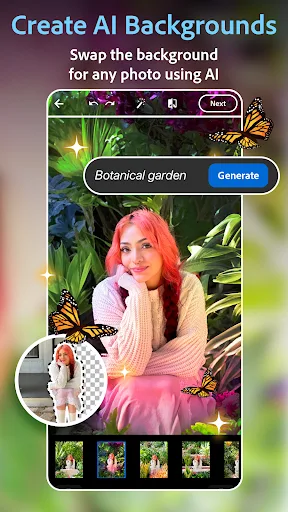
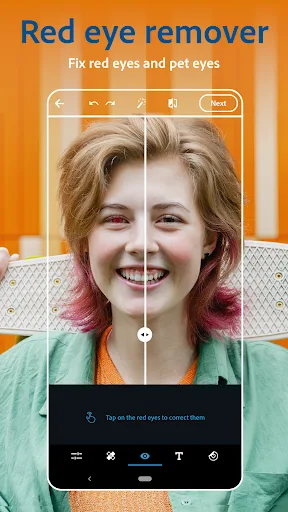
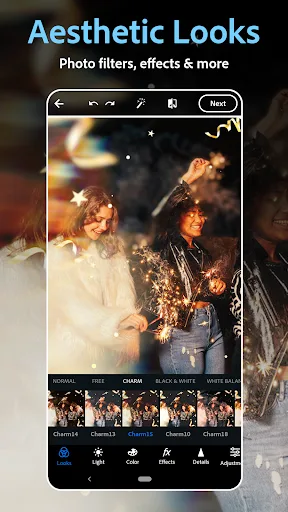
Photoshop Express Photo Editor Screenshots
Official app screenshots from the Google Play Store.
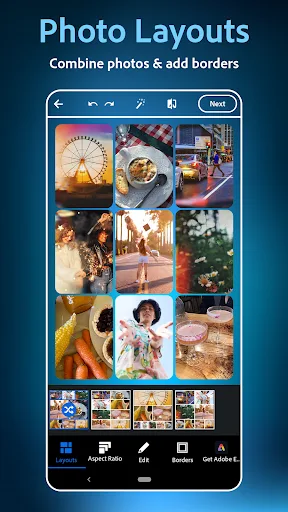

Collage Maker | Photo Editor Screenshots
Official app screenshots from the Google Play Store.





Frequently Asked Questions
Which app has a higher rating?
Collage Maker has a higher rating of 4.86 compared to Photoshop Express's 4.55.
Can I use these apps offline?
Both apps work offline for basic features, but some functions like cloud sync or downloading new templates require internet.
Do these apps have ads?
Yes, both apps display ads in their free versions. Photoshop Express has occasional ads, while Collage Maker may have more frequent ads.
What are the device requirements?
Both apps require Android 5.0 or later. Photoshop Express may need more RAM for heavy editing; Collage Maker is generally lighter.
Which app should I choose for photo editing vs collages?
For comprehensive photo editing, choose Photoshop Express. For creative collages with 3D effects, choose Collage Maker.
Related Comparisons
VS

Collage Maker vs Photoroom: Which Photo Editor Reigns Supreme in 2026
 VS
VS
CapCut vs Photoshop Express: Best Photo Editor for You
 VS
VS

InShot vs Google Photos: Which Photo Editor App Reigns Supreme
VS
Photoroom vs InShot: Best Photo & Video Editor for Android
 VS
VS
Canva vs Photoroom: AI Photo Editor Showdown – Which App Reigns Supreme?
 VS
VS