Picsart vs Collage Maker: Which Photo Editor Reigns Supreme?
Picsart is a comprehensive AI-powered photo and video editor designed for creators who want advanced tools like background removal, object erasing, and AI art generation. Collage Maker (GridArt) focuses on quick and stylish photo collages with unique 3D popout effects, ideal for users who prioritize fast, creative layouts. Both apps are free but cater to different editing workflows.

Picsart AI Photo Editor, Video
Recommended- Rating
- ★ 4.00
- Downloads
- 1,000,000,000+
- Developer
- PicsArt, Inc.

Collage Maker | Photo Editor
- Rating
- ★ 4.86
- Downloads
- 100,000,000+
- Developer
- Photo Editor & Collage Maker
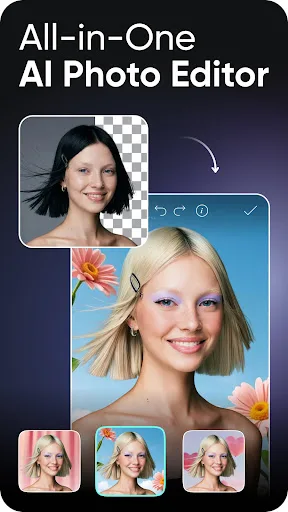
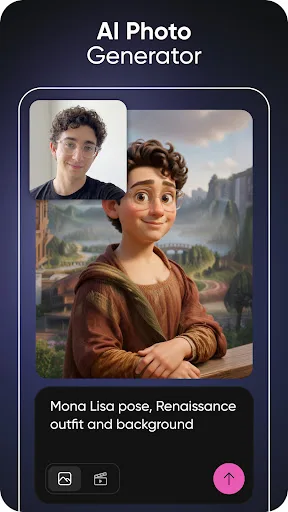
Ignite your creative potential with Picsart — the all-in-one AI photo editor, AI video editor, and design studio that’s free and easy to use. From business designs to AI art, go from inspiration to creation fast. Create with an AI photo generator and AI video generator, edit…
Pros
- All-in-one AI photo and video editor with generative AI tools.
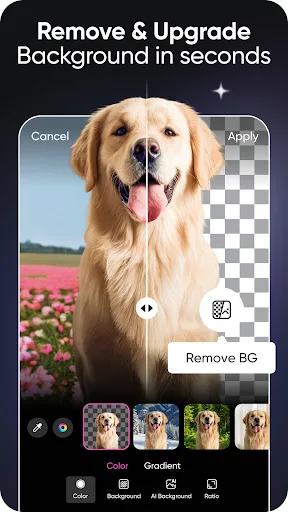
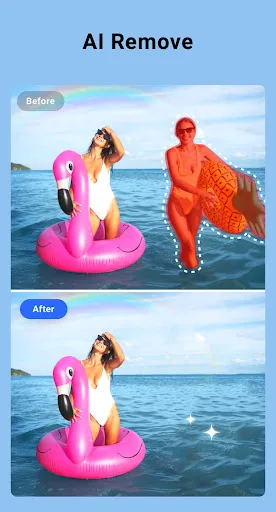
- Background remover and object eraser for precise edits.
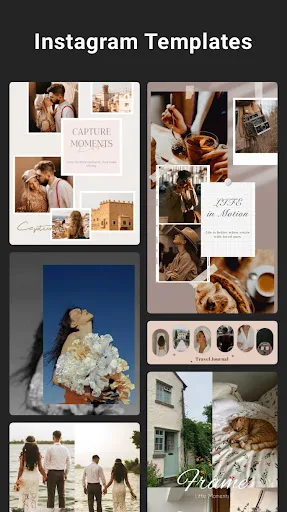
- Massive library of stickers, fonts, and templates.
- Social community to share and discover creations.
- Regular updates with new AI features.
Cons
- Can be overwhelming for beginners due to many features.
- Some advanced AI tools require subscription.
- Occasional ads in free version.
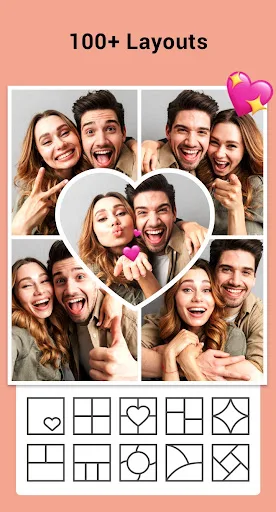
GridArt Collage Maker is your go-to photo collage maker and photo frame app in pics art trip. Just select several photos in your photo lab, Collage Maker instantly remix them into cool photo collage. Beyond standard grids, we now feature 3D Popout effect that allow your images to…
Pros
- Extremely easy to create collages with multiple layouts.
- Unique 3D popout effect for standout designs.
- Lightweight app with fast performance.
- High rating (4.86) indicating strong user satisfaction.
- No account required for basic use.
Cons
- Limited to collage making; no advanced photo editing.
- No video editing or AI features.
- Free version includes ads.
Final Verdict
Our pick: Picsart AI Photo Editor, Video
For users who need a full-featured editing suite with AI capabilities, Picsart is the clear winner. It offers far more tools, including video editing, and has a massive community. Collage Maker excels at its niche—collages—but lacks the depth for serious editing. If you want versatility and advanced features, choose Picsart. If collages are your main need, Collage Maker is simpler and highly rated.
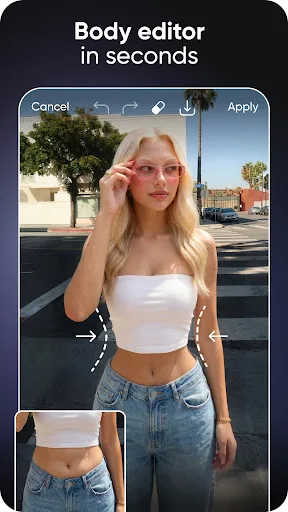
Picsart AI Photo Editor, Video Screenshots
Official app screenshots from the Google Play Store.

Collage Maker | Photo Editor Screenshots
Official app screenshots from the Google Play Store.


Frequently Asked Questions
Which app has a higher rating?
Collage Maker has a higher rating (4.86) compared to Picsart (4.01). However, ratings reflect user expectations: Picsart's lower rating is due to its complexity and subscription prompts, while Collage Maker's simplicity earns higher satisfaction.
Can I use these apps offline?
Both apps require an internet connection for some features. Picsart's AI tools need online processing, but basic editing works offline. Collage Maker works offline for collage creation, but accessing stickers or backgrounds may need a connection.
Do these apps have ads?
Yes, both apps have ads in their free versions. Picsart shows ads occasionally, and Collage Maker displays ads between edits. Paid subscriptions remove ads in both.
What are the device requirements?
Picsart requires Android 5.0+ and at least 2GB RAM for smooth AI features. Collage Maker requires Android 4.4+ and works on lower-end devices due to its lightweight design.
Which app should I choose?
Choose Picsart if you need a powerful editor with AI capabilities, video editing, and design tools. Choose Collage Maker if you primarily want to create beautiful collages quickly and easily.
Related Comparisons
VS

Collage Maker vs Photoroom: Which Photo Editor Reigns Supreme in 2026
 VS
VS
CapCut vs Photoshop Express: Best Photo Editor for You
 VS
VS

InShot vs Google Photos: Which Photo Editor App Reigns Supreme
VS
Photoroom vs InShot: Best Photo & Video Editor for Android
 VS
VS
Canva vs Photoroom: AI Photo Editor Showdown – Which App Reigns Supreme?
VS