Samsung My Files vs Xender: Which File Manager & Transfer App Reigns Supreme?
Samsung My Files is designed for Samsung device users who need a robust built-in file manager to organize local and cloud storage. Xender targets users who frequently transfer files between devices without internet, offering fast peer-to-peer sharing. Both are free but serve different primary purposes: local file management vs. cross-platform file transfer.
Samsung My Files
- Rating
- ★ 4.05
- Downloads
- 5,000,000,000+
- Developer
- Samsung Electronics Co., Ltd.

Xender - Quick Share, Transfer
Recommended- Rating
- ★ 4.57
- Downloads
- 500,000,000+
- Developer
- Xender File Sharing Team
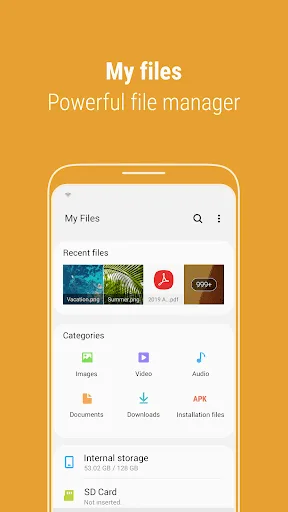
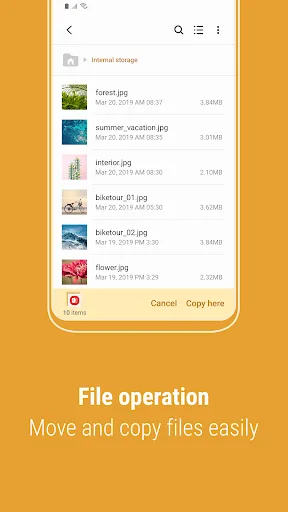
[Introducing My Files] "My Files" manages all the files on your smartphone, just like a file explorer on your computer. You can also manage files stored on SD cards, USB drives and files in the cloud storage connected with your smartphone at the same time. Download and experience…
Pros
- Seamless integration with Samsung devices and One UI.
- Supports SD card, USB OTG, and cloud storage (Google Drive, OneDrive).
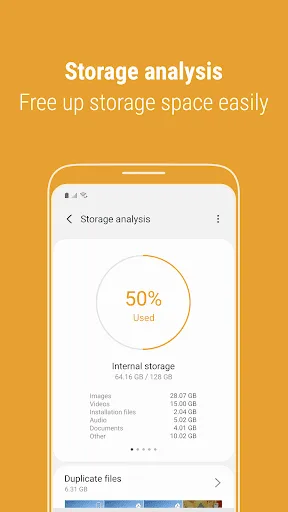
- Built-in storage analyzer to free up space easily.
- Clean, intuitive interface with categories like Images, Videos, Documents.
- Pre-installed on Samsung phones, no extra download needed.
Cons
- Limited to Samsung ecosystem; not available for non-Samsung Android devices.
- No direct peer-to-peer file transfer capability.
- Ads can be intrusive in the free version.
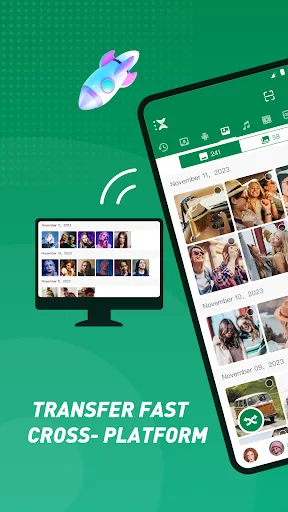
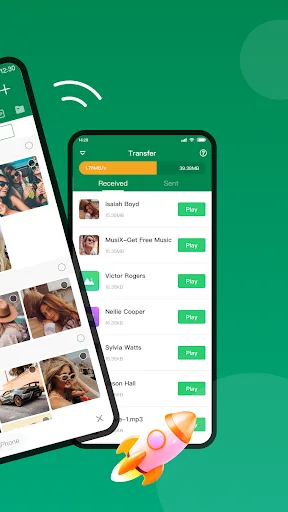
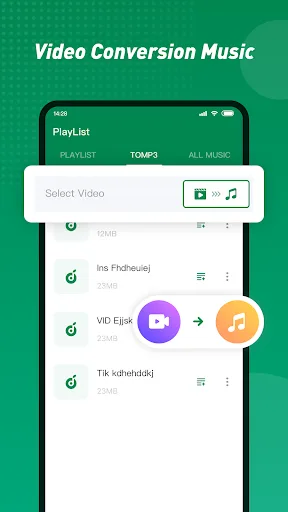
Xender - best sharing app fulfilling all your transfer needs ☆ Share Music, Share Video, Share Photo, Share MV, Share It, Share Me, Share File ☆ Transfer any files (app, music, video, pdf, Word, Excel, zip, folder..) anywhere, anytime - Transfer files from Android to Android…
Pros
- Lightning-fast file transfer speeds up to 40 Mbps using Wi-Fi Direct.
- Cross-platform support: Android, iOS, Windows, Mac.
- No internet or mobile data required for transfers.
- Supports all file types: apps, music, videos, documents, etc.
- Clean, ad-free experience with high user rating (4.56).
Cons
- Primarily a transfer tool; lacks advanced file management features.
- Requires both devices to have Xender installed for transfers.
- May have security concerns as it uses peer-to-peer connection.
Final Verdict
Our pick: Xender - Quick Share, Transfer
If you own a Samsung phone and need a reliable file organizer with cloud integration, Samsung My Files is the clear winner. For fast, no-internet file transfers between multiple platforms (Android, iOS, PC), Xender is unbeatable. However, if you need both capabilities, consider using both apps together. Overall, Xender wins for its transfer versatility and higher rating, but Samsung My Files is essential for Samsung users.
Samsung My Files Screenshots
Official app screenshots from the Google Play Store.
Xender - Quick Share, Transfer Screenshots
Official app screenshots from the Google Play Store.


Frequently Asked Questions
Which app has a higher rating?
Xender has a higher rating of 4.56 compared to Samsung My Files' 4.05, based on Google Play data.
Can I use these apps offline?
Samsung My Files works fully offline for local file management. Xender transfers files offline using Wi-Fi Direct, but initial setup may require internet for download.
Do these apps contain ads?
Samsung My Files displays ads in the free version. Xender is ad-free.
What are the device requirements?
Samsung My Files is exclusive to Samsung devices. Xender works on Android 4.0+ and iOS 9.0+, plus Windows and Mac.
Which app should I choose for file management and transfer?
For comprehensive file management on Samsung, use My Files. For fast cross-platform transfers, use Xender. Many users install both for best results.
Related Comparisons
VS
Xender vs Files by Google: Which File Manager & Transfer App Wins in 2026
 VS
VS

Google Drive vs Dropbox: The Ultimate File Manager Showdown
 VS
VS
Solid Explorer vs Google Drive: Best File Manager for Android
 VS
VS
Cx File Explorer vs Solid Explorer: Which File Manager Reigns Supreme?
VS
Cx File Explorer vs Samsung My Files: Which File Manager Reigns Supreme?
VS