Todoist vs Google Calendar: Which Productivity App Reigns Supreme?
Todoist is a powerful task manager designed for individuals and teams who want a second brain to organize work and life without complexity. Google Calendar is the go-to scheduling app for billions, seamlessly integrating with Gmail and other Google services to manage events and tasks. Todoist excels at project management and habit tracking, while Google Calendar shines in event scheduling and cross-platform sync. Choose based on whether you need deep task management or robust calendar integration.
Todoist: To Do List & Calendar
- Rating
- ★ 4.58
- Downloads
- 10,000,000+
- Developer
- Doist Inc.

Google Calendar
Recommended- Rating
- ★ 4.64
- Downloads
- 10,000,000,000+
- Developer
- Google LLC
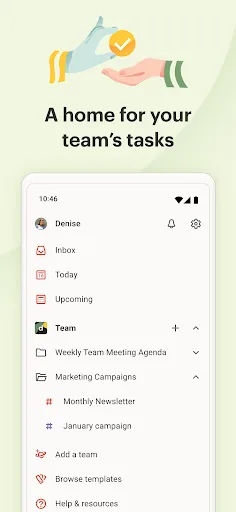
You have enough on your plate without fighting your productivity tools. Todoist is the planner and habit tracker that bridges personal and professional productivity, without the complexity tax. Join 50+ million people and teams who trust Todoist as their second brain to organize…
Pros
- Powerful natural language input for quick task creation
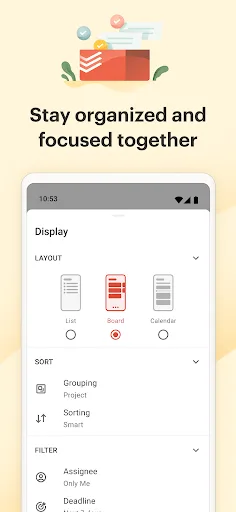
- Deep project management with subtasks, labels, and filters
- Cross-platform sync with 50+ million users
- Built-in habit tracker and productivity streaks
- Extensive integration with 3rd-party apps via API
Cons
- Free version limits collaboration features
- Steeper learning curve for advanced features
- Calendar view less intuitive than dedicated calendar apps
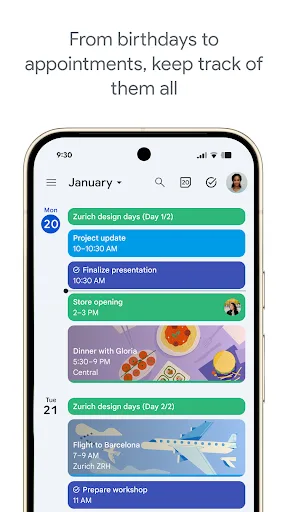
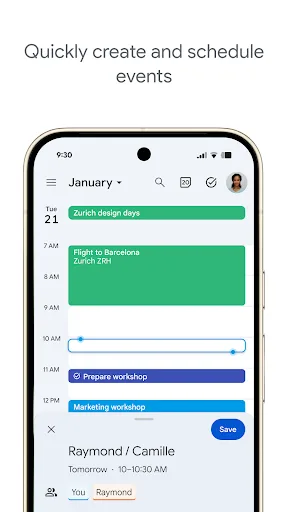
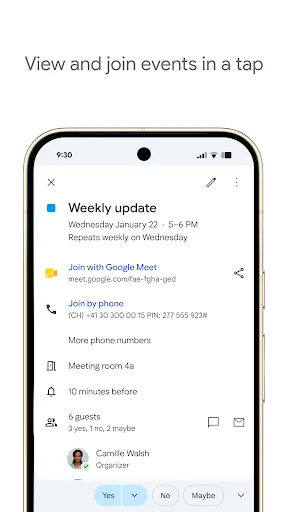
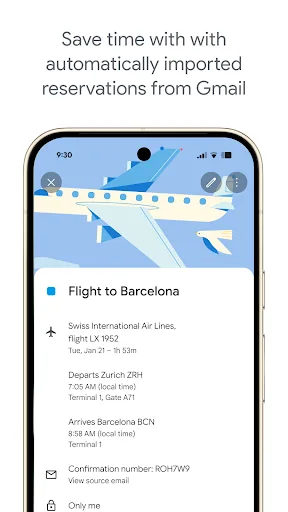
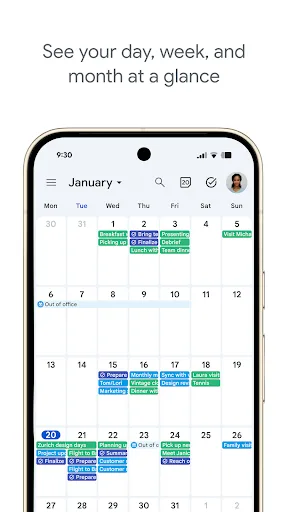
Get the official Google Calendar app, for your Android phone, tablet, or Wear OS device to stay organized and plan your day. Make the most of your day with easy event creation, multiple calendars, customizable views, widgets, tasks, and more With Google Calendar, you can: • Get…
Pros
- Seamless integration with Gmail for automatic event creation
- Highly polished calendar views with multiple layouts
- Works offline with full sync when online
- Supports multiple calendars and sharing
- Free with no ads and minimal limitations
Cons
- Task management is basic compared to Todoist
- Limited project management features
- Requires Google account for full functionality
Final Verdict
Our pick: Google Calendar
For most users, Google Calendar wins due to its seamless integration with Google services, massive install base, and polished event management. However, if you need advanced task management with features like labels, filters, and project templates, Todoist is the better choice. Both apps are free with premium options, but Google Calendar's familiarity and Gmail integration make it the default for many. Ultimately, the best app depends on whether you prioritize task complexity or calendar simplicity.
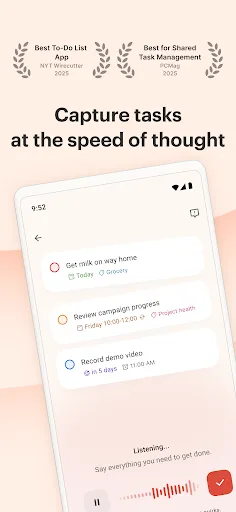
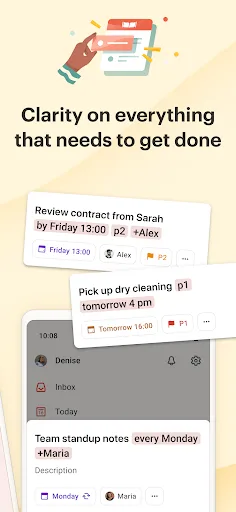
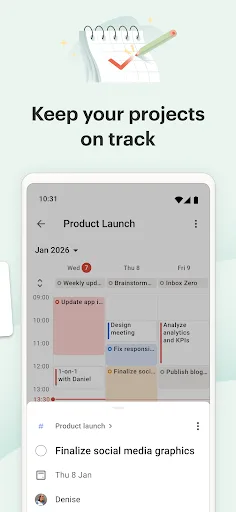
Todoist: To Do List & Calendar Screenshots
Official app screenshots from the Google Play Store.
Google Calendar Screenshots
Official app screenshots from the Google Play Store.
Frequently Asked Questions
Which app has a higher rating?
Google Calendar has a slightly higher rating of 4.6445 compared to Todoist's 4.582, but both are highly rated.
Can I use these apps offline?
Both apps offer offline functionality. Google Calendar allows viewing and editing events offline with sync when online. Todoist also supports offline access with automatic sync.
Are there ads in these apps?
No, both Todoist (free version) and Google Calendar are ad-free. Todoist offers a premium subscription for extra features, while Google Calendar is completely free.
What are the device requirements?
Both apps require Android 5.0 or later. Google Calendar is pre-installed on many devices, while Todoist can be downloaded from Google Play.
Which app should I choose?
Choose Todoist if you need advanced task management with projects and labels. Choose Google Calendar if you want seamless scheduling integrated with Gmail and other Google services.
Related Comparisons
 VS
VS

Any.do vs Google Keep: Which Productivity App Reigns Supreme?
 VS
VS
Microsoft To Do vs Google Keep: Which Productivity App Reigns Supreme?
 VS
VS
Microsoft 365 Copilot vs Any.do: Which Productivity App Reigns Supreme
 VS
VS
Forest vs Microsoft To Do: Productivity Showdown – Focus Timer vs Task Manager
 VS
VS

To-Do List & Daily Planner vs TickTick: Which Productivity Powerhouse Reigns Supreme?
 VS
VS