PDF Reader - PDF Editor vs Adobe Acrobat Reader: Which PDF Tool is Best for You?
PDF Reader - PDF Editor by Simple Design Ltd. is a lightweight, fast PDF viewer and editor ideal for casual users who need quick access to PDF files on their phone. Adobe Acrobat Reader by Adobe is the industry-standard PDF solution with advanced editing, signing, and collaboration features, trusted by over 635 million users. If you prioritize simplicity and speed, go with PDF Reader. For comprehensive document management, Adobe Acrobat Reader is the better choice.
PDF Reader - PDF Editor
- Rating
- ★ 4.61
- Downloads
- 50,000,000+
- Developer
- Simple Design Ltd.
Adobe Acrobat Reader: Edit PDF
Recommended- Rating
- ★ 4.46
- Downloads
- 500,000,000+
- Developer
- Adobe
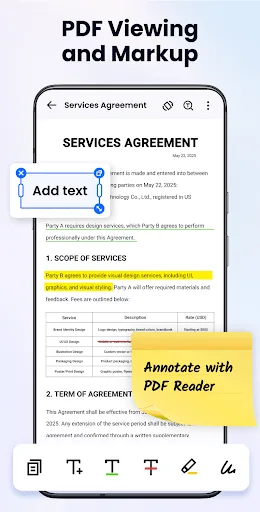
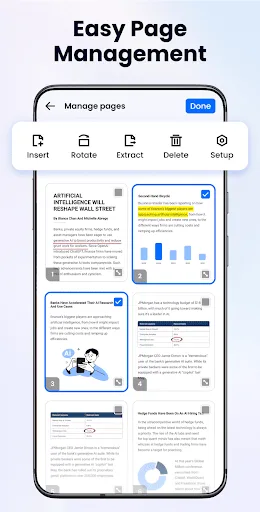
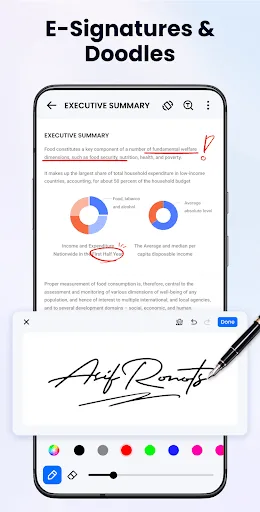
Looking for a simple and easy-to-use document reading app? PDF Reader - PDF Editor is exactly what you need! It can auto scan, find, and list all PDF files on your phone, allows you to fast open, read and manage your files in one place conveniently. PDF Reader - PDF Editor suppor…
Pros
- Ultra-fast PDF loading and scrolling
- Auto-scans and lists all PDF files on device
- Simple and intuitive user interface
- Lightweight app size compared to Adobe
- Supports multiple file formats including images
Cons
- Limited editing capabilities (basic annotations only)
- No cloud sync or cross-device support
- Contains ads in the free version
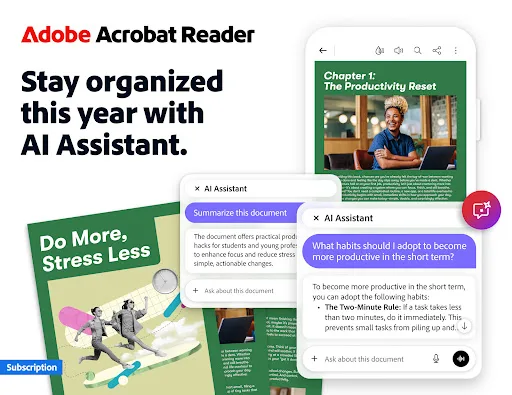
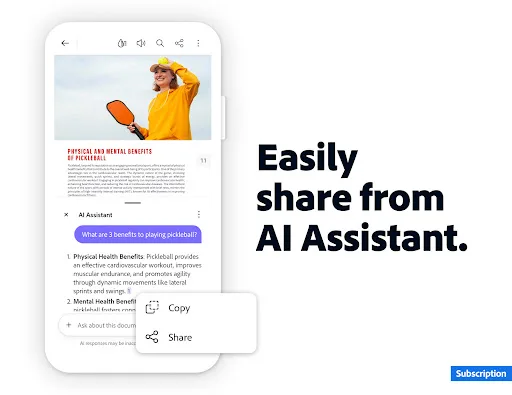
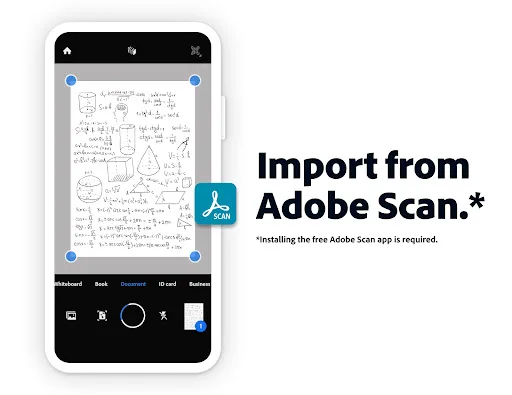
Major new updateCollaborate and share files in PDF Spaces, turn your document summaries into podcast-style audio, and create standout content in Acrobat Reader with design and editor tools powered by Adobe Express. The world’s most trusted PDF reader, editor, signer, converter…
Pros
- Industry-leading PDF editing and conversion tools
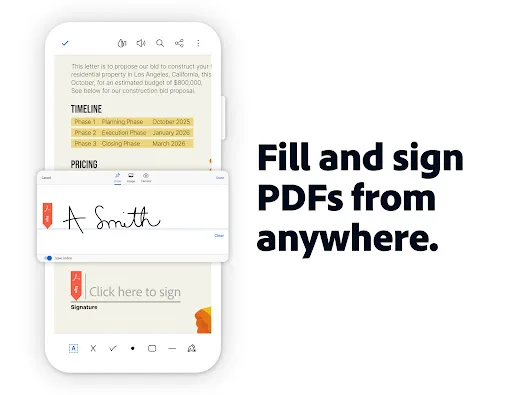
- Built-in e-signature functionality
- Cloud integration with Adobe Document Cloud and other services
- Regular updates with new features (e.g., PDF Spaces, AI audio summaries)
- Highly secure and trusted by enterprises
Cons
- Heavier app size and slower on older devices
- Free version has limited features; subscription required for full suite
- Complex interface for new users
Final Verdict
Our pick: Adobe Acrobat Reader: Edit PDF
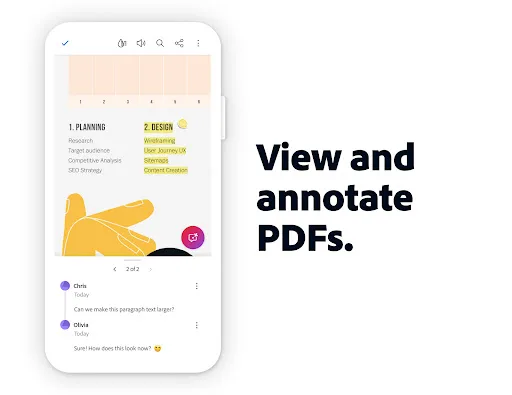
For most users, Adobe Acrobat Reader is the superior choice due to its robust feature set, reliability, and integration with Adobe's ecosystem. It offers advanced editing, e-signing, and collaboration tools that PDF Reader lacks. However, if you only need a simple, fast PDF viewer and occasional basic edits, PDF Reader - PDF Editor is a lightweight and efficient alternative. Its higher rating (4.61 vs 4.46) reflects satisfaction among users who value speed and simplicity. Ultimately, choose Adobe for power, PDF Reader for simplicity.
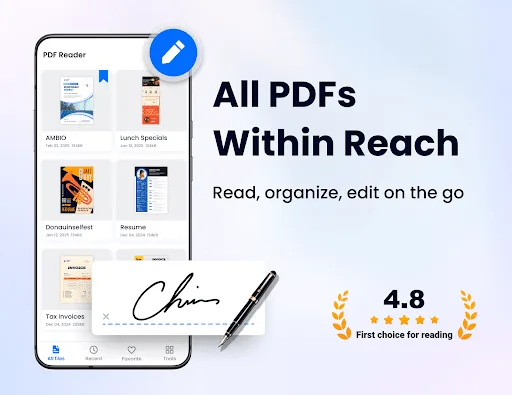
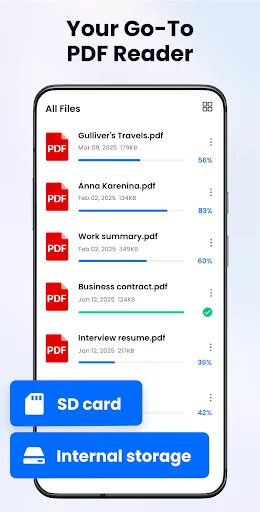
PDF Reader - PDF Editor Screenshots
Official app screenshots from the Google Play Store.
Adobe Acrobat Reader: Edit PDF Screenshots
Official app screenshots from the Google Play Store.
Frequently Asked Questions
Which app has a higher rating?
PDF Reader - PDF Editor has a rating of 4.61, while Adobe Acrobat Reader has 4.46. Both are well-rated, but PDF Reader scores slightly higher.
Can I use these apps offline?
Yes, both apps allow offline viewing and basic editing of PDFs. However, Adobe Acrobat Reader requires internet for cloud features and some advanced tools.
Do these apps have ads?
PDF Reader - PDF Editor displays ads in its free version. Adobe Acrobat Reader is ad-free but offers in-app purchases for premium features.
What are the device requirements?
Both apps require Android 5.0 or later. PDF Reader is lighter and works well on low-end devices, while Adobe Acrobat Reader may need more RAM and storage.
Which app should I choose for basic PDF viewing?
For basic viewing and quick access, PDF Reader - PDF Editor is ideal due to its speed and simplicity. For advanced features like editing, signing, and collaboration, choose Adobe Acrobat Reader.
Related Comparisons
 VS
VS

Mobi PDF vs MobiOffice: Which MobiSystems PDF Tool is Best for You?
 VS
VS
Document Reader vs MobiPDF: Which PDF Tool Reigns Supreme?
 VS
VS
iLovePDF vs Document Reader & PDF Editor: Best PDF Tool for Android
 VS
VS
Xodo vs Document Reader: Best PDF Tool for Android
 VS
VS

PDFgear vs CS PDF Reader: Best Free PDF Editor for Android
 VS
VS