Solid Explorer vs OneDrive: The Ultimate File Manager & Cloud Storage Showdown
Solid Explorer is a powerful dual-pane file manager designed for users who need granular control over local files, cloud storage, and network drives. Microsoft OneDrive, on the other hand, is a cloud storage and synchronization service ideal for users deeply integrated into the Microsoft ecosystem who prioritize automatic photo backup and seamless Office integration. Solid Explorer excels at file organization and security, while OneDrive focuses on cloud accessibility and collaboration.

Solid Explorer File Manager
Recommended- Rating
- ★ 4.44
- Downloads
- 10,000,000+
- Developer
- NeatBytes

Microsoft OneDrive
- Rating
- ★ 4.60
- Downloads
- 5,000,000,000+
- Developer
- Microsoft Corporation
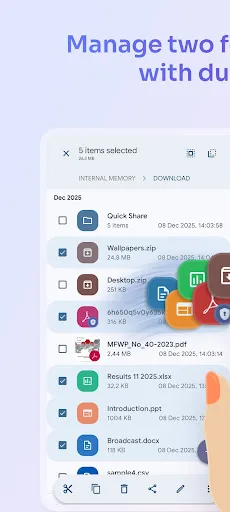
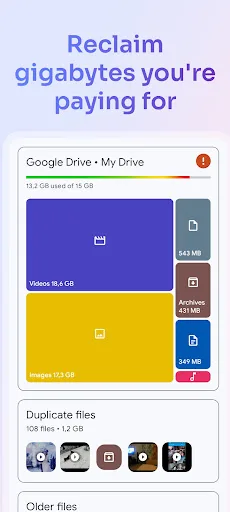
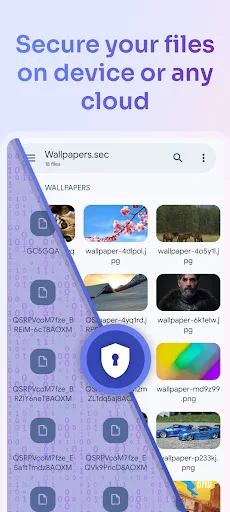
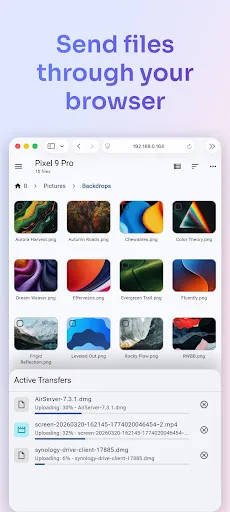
Solid Explorer is a powerful file manager that gives you full control over files on your device, in the cloud, and across your network. 🗄️ Dual-pane layout — drag and drop files between two panels 🔐 AES-256 encryption — lock files with password or fingerprint 🖥️…
Pros
- Dual-pane layout for efficient drag-and-drop file operations
- AES-256 encryption and password/fingerprint lock for sensitive files
- Supports cloud services like Google Drive, Dropbox, and OneDrive
- Network access via SMB, SFTP, FTP, and WebDAV
- Web file sharing without uploading to the cloud
Cons
- Free version includes ads (one-time purchase to remove)
- No built-in cloud storage; relies on third-party accounts
- Steeper learning curve for non-power users
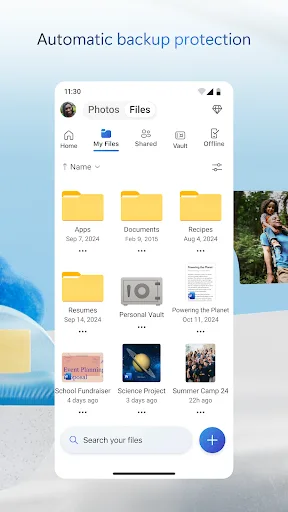
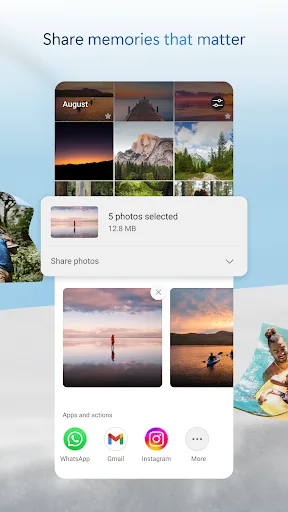
Start with 5 GB of free storage, or upgrade to Microsoft 365 Personal or Family for 1 TB per user. Access your files anywhere—even offline. Back Up Photos & Videos • Turn on Camera Upload for automatic photo and video backup • Secure photo locker with automatic tagging •…
Pros
- 5 GB free cloud storage with upgrade options
- Automatic camera backup and secure photo locker
- Seamless integration with Microsoft Office and Windows
- Files on-demand to save device space
- Offline access to files and real-time collaboration
Cons
- Limited free storage compared to some competitors
- File management features are basic; no dual-pane or advanced file operations
- Requires Microsoft account and may not suit non-Microsoft users
Final Verdict
Our pick: Solid Explorer File Manager
For users who need a comprehensive file manager with advanced features like dual-pane browsing, encryption, and support for multiple cloud services, Solid Explorer is the clear winner. However, if your primary need is cloud storage with automatic backup and tight integration with Microsoft Office, OneDrive is the better choice. Given the category is file-manager, Solid Explorer offers more direct file management capabilities. Therefore, the recommendation goes to Solid Explorer for its superior local and network file management tools.
Solid Explorer File Manager Screenshots
Official app screenshots from the Google Play Store.

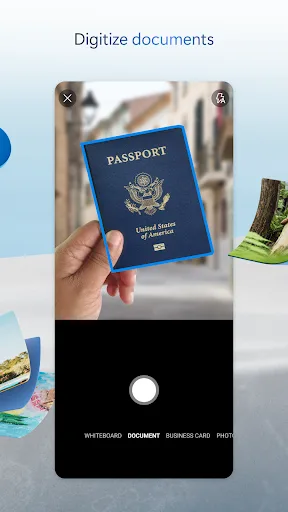
Microsoft OneDrive Screenshots
Official app screenshots from the Google Play Store.


Frequently Asked Questions
Which app has a higher rating?
OneDrive has a slightly higher rating (4.598) compared to Solid Explorer (4.450). However, both are highly rated.
Can I use Solid Explorer offline?
Yes, Solid Explorer works fully offline for local files. Cloud and network access require internet.
Does OneDrive have ads?
No, OneDrive is ad-free. Solid Explorer has ads in the free version, removable via purchase.
What are the device requirements for these apps?
Both require Android 5.0 or higher and work on phones and tablets. Solid Explorer needs minimal permissions; OneDrive may require more for backup.
Which app should I choose for file management?
Choose Solid Explorer for advanced file management features like dual-pane, encryption, and network access. Choose OneDrive if you prioritize cloud storage and Office integration.
Related Comparisons
 VS
VS

Xender vs Files by Google: Which File Manager & Transfer App Wins in 2026
 VS
VS

Google Drive vs Dropbox: The Ultimate File Manager Showdown
VS
Solid Explorer vs Google Drive: Best File Manager for Android
 VS
VS
Cx File Explorer vs Solid Explorer: Which File Manager Reigns Supreme?
VS

Cx File Explorer vs Samsung My Files: Which File Manager Reigns Supreme?
VS